INSTALLING & REMOVING FILTERS
05
FILTER REPLACE INDICATOR
The REPLACE FILTER light indicates that it is time to replace the filter. Replace the
filter according to the directions below then press the RESET button holding for 5
seconds to restart the program system. The light will stop flickering.
* Combination Filter will last approximately 6 months.
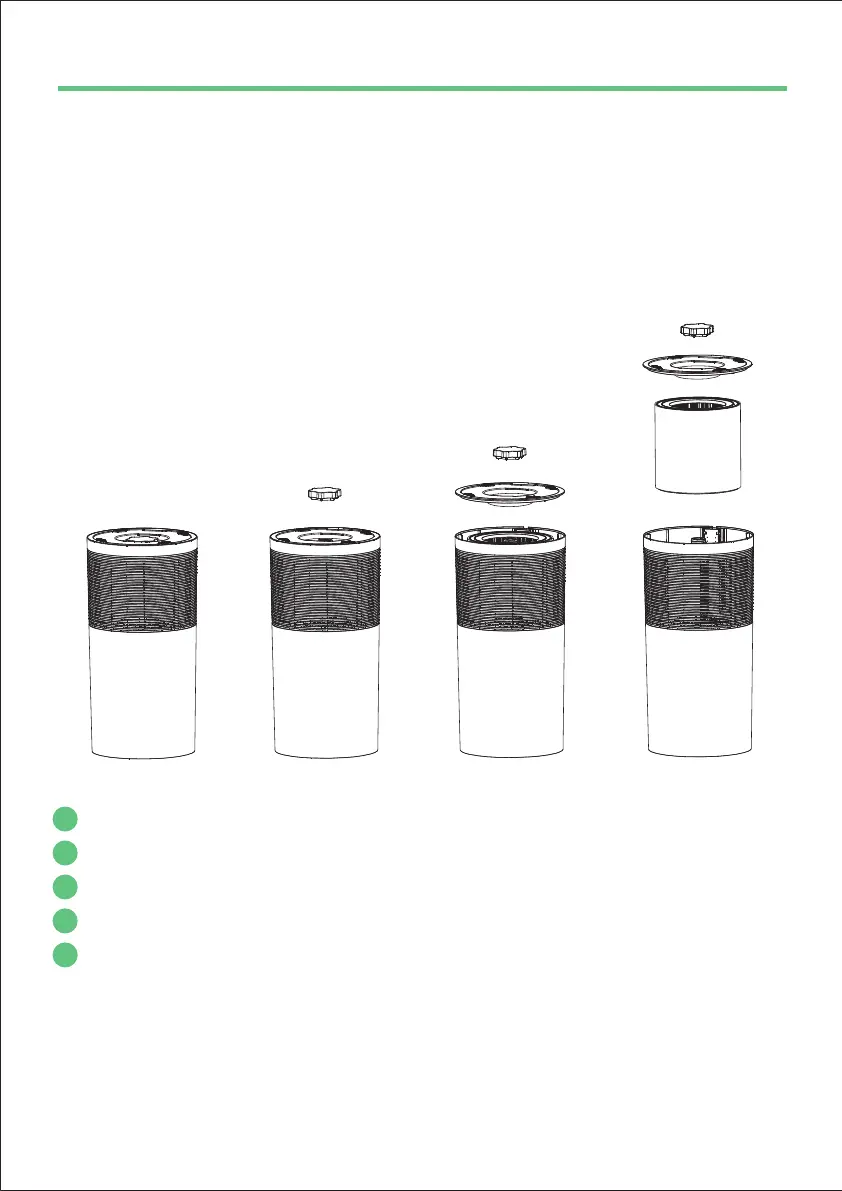
Turn the machine upside down.
Remove the screw cap below the base then remove the base.
Remove dirty filter and insert new filter into the unit.
Reattach the base to the unit and fasten it with the screw cap.
Press and hold Reset button for 5 seconds to reset program.
1
2
3
4
5



 To Next Page