2 3
Air temperature and Relative humidity measurement
Air Temperature Range 0°C to 50°C / (32°F to 122°F)
Dewpoint Temperature Range 0°C to 50°C/ (32°F to 122°F)
Relative Humidity Range 0 to 100%RH
Air temperature Accuracy
±0.5°C (0.9°F), 10°C to 40°C (50°F to 104°F)
±1.0°C (1.8°F), 0°C to 10°C (32°F to 50°F)
40°C to 50°C (104°F to 122°F)
Wetbulb Temperature Range 0°C to 50°C (32°F to 122°F)
Wetbulb Temperature Accuracy
±0.5°C (0.9°F), 10°C to 40°C (50°F to 104°F)
±1.0°C (1.8°F), 0°C to 10°C (32°F to 50°F)
40°C to 50°C (104°F to 122°F)
Dewpoint temp. Accuracy
±0.5°C (0.9°F), 10°C to 40°C (50°F to 104°F)
±1.0°C (1.8°F), 0°C to 10°C (32°F to 50°F)
40°C to 50°C (104°F to 122°F)
Relative Hum. Accuracy
±3%RH 40% to 60%
±3.5%RH, 20% to 40% and 60% to 80%
±5%RH, 0% to 20% and 80% to 100%
Operating Temperature 0°C to 50°C (32°F to122°F)
Storage Temperature -10°C to 60°C (14°F to 140°F)
Relative Humidity 10 to 90%RH non-condensing
Display 2.8” 320x240 Color LCD with backlight
Power
Battery Rechargeable battery
Battery Life About 4 hours continuous use
Battery Charge Time About 2 hours with AC adapter
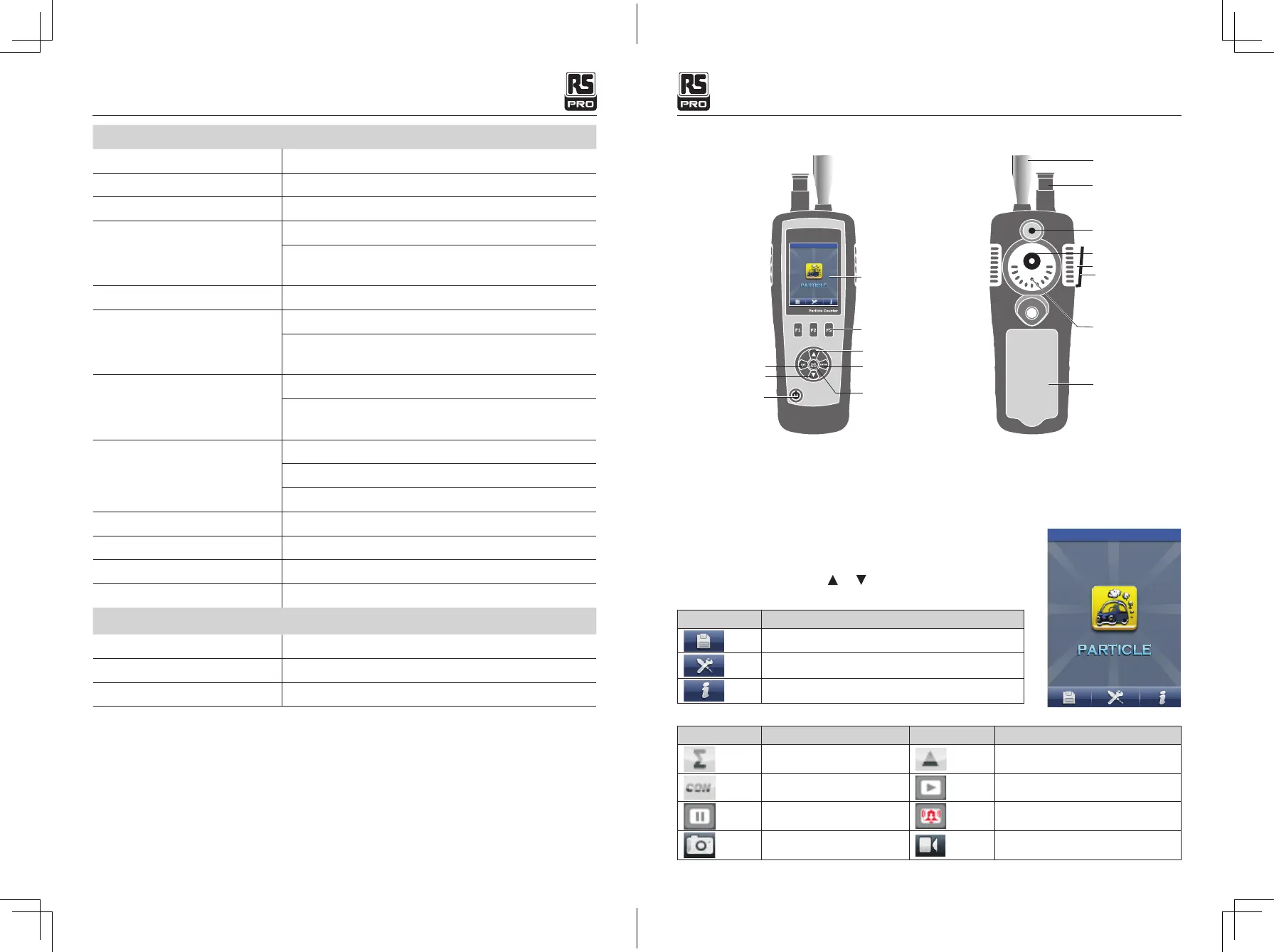
4. Front Panel and Button Description
5. Power on or Power off
6-Measurement Mode
Back up button
Page down button
Power ON/OFF button
Color LCD Display
Particle Sensor
TEMP.%RH Sensor
Camera Sensor
CO Sensor
USB Interface
AC/DC adapter
HCHO Sensor
Battery Cover
Particle Counter button
Function button
Page up button
Measure button
Function button
With the power off, press and hold button until the LCD is on, then the unit will power on.
With the power on, press and hold button until the LCD is off, then the unit will power off.
This instrument has three modes.
When powered on, the unit will display three modes for measure, and
three set up options. Use the
or
button to select your preferred
mode and use the F1, F2, and F3 buttons to enter the system interface.
Items Description
Memory set
System set
Help file
Symbol Description Symbol Description
Cumulative mode
Differential mode
Concentration mode
Scan
HOLD
Alarm working
CAM mode Video mode
Symbols
Particle Counter/ EnglishParticle Counter/ English
07/12/2017 Version No. 00107/12/2017 Version No. 001



 To Next Page