RTX745x GUIDE 1.0 11 | P a g e
Proprietary and Confidential
4 User interface
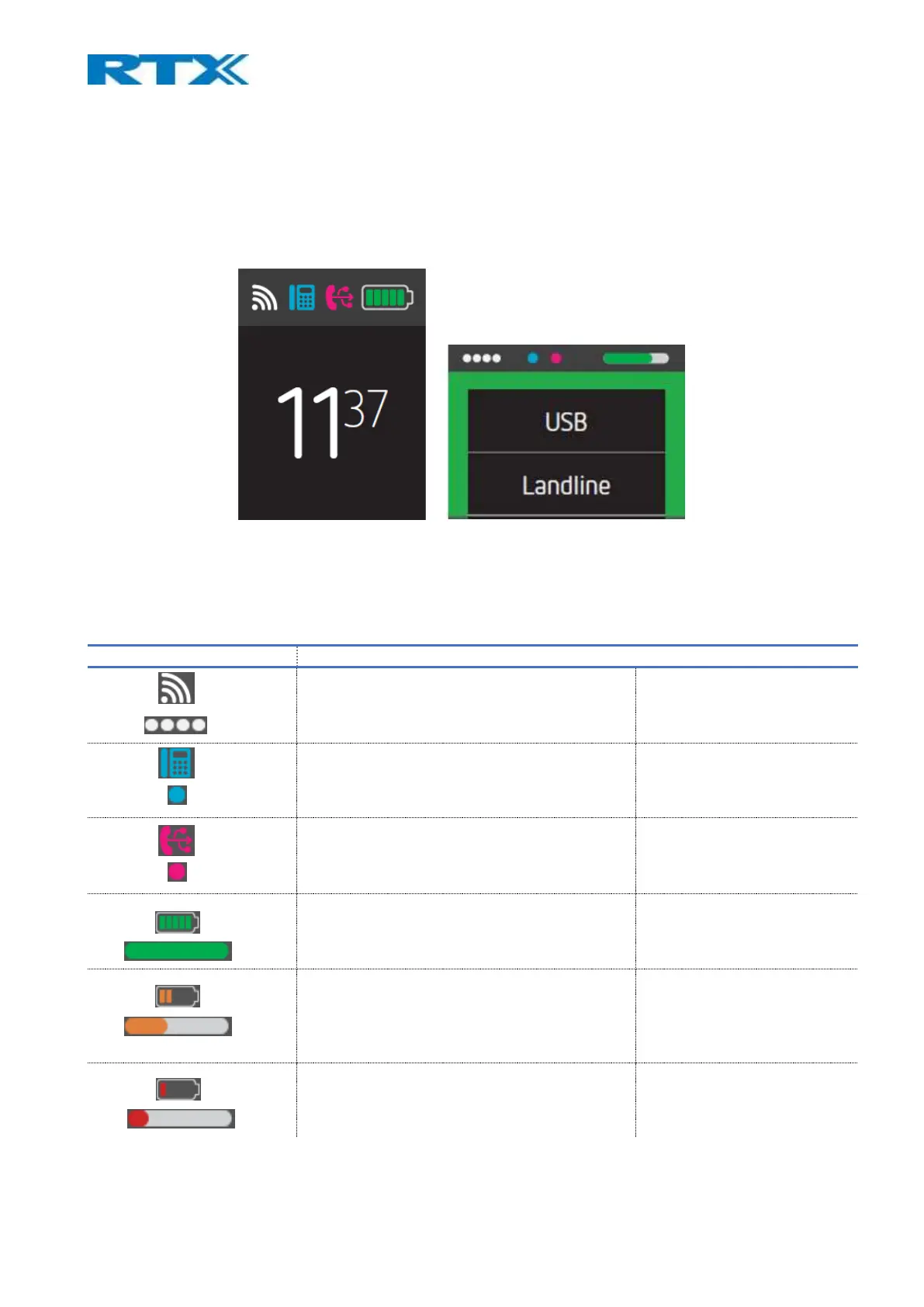
As mentioned above, the RTX745x base supports a 2.4-inch 240x320 TFT display which has a user-friendly interface
(UI). The UI is designed to be operated in an arms distance, meaning that the status bar is large and visible (Fig.8).
However, the icons shrink in size when navigating through the device’s menu, yet still allowing the user to see the
status (Fig.9).
Fig. 8 Large status bar Fig.9 Small status bar
4.1 Icons
The following table aims to introduce you to the available icons on the UI of the device.
Signal strength (Default)
Signal strength (Collapsed)
informs the user of how good
the signal is
Desktop phone connection (Default)
Desktop phone connection (Collapsed)
indicates that RTX745x is
connected to a Desktop phone
PC-USB connection (Default)
PC-USB connection (Collapsed)
indicates that RTX745x is
connected to the PC
Battery status (Default)
Battery status (Collapsed)
Battery status (Default)
Battery status (Collapsed)
Battery status (Default)
Battery status (Collapsed)



 To Next Page