Need help?
Do you have a question about the Rubicson 48971 and is the answer not in the manual?
Details the rechargeable Li-on battery and capacity.
Specifies the voltage and current needed for charging.
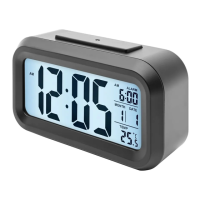
Indicates the number of alarms the clock supports.
States the selectable time formats: 12-hour or 24-hour.
Confirms the presence and function of the backlight.
Confirms the availability of the snooze feature.
Defines the range of ambient temperature measurable.
How to activate display illumination and snooze alarm.
Switching between 12-hour and 24-hour time display.
Changing temperature display between Celsius and Fahrenheit.
Using the SENSOR switch to activate backlight in low light.
 General
| Brand | Rubicson |
|---|---|
| Model | 48971 |
| Category | Alarm Clock |
| Language | English |

 To Next Page