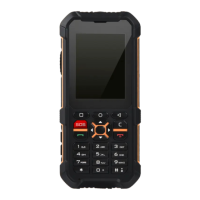
Need help?
Do you have a question about the RugGear RG300 and is the answer not in the manual?
Measures to take if phone safety is compromised.
Precautions for safe usage, charging, and environment.
Description of the function of each key on the device.
Instructions for installing and removing the phone's battery.
Steps for charging the phone's battery.
Procedure for inserting the SIM card into the device.
Details on frequencies, dimensions, memory, and processor.
Solutions for common phone issues like power, charging, and calls.
 General
| Network | GSM / HSPA |
|---|---|
| 2G bands | GSM 850 / 900 / 1800 / 1900 |
| 3G bands | HSDPA 850 / 900 / 1900 / 2100 |
| GPRS | Yes |
| EDGE | Yes |
| Weight | 170 g |
| Memory Card slot | microSD, up to 32 GB |
| Phonebook | Yes |
| Call records | Yes |
| Internal Storage | 128 MB |
| RAM | 64 MB |
| Camera | 2 MP |
| Video | Yes |
| Alert types | Vibration; MP3, WAV ringtones |
| Loudspeaker | Yes |
| 3.5mm jack | Yes |
| WLAN | No |
| Bluetooth | 4.0, A2DP |
| Radio | FM radio |
| USB | microUSB 2.0 |
| Browser | WAP 2.0/xHTML |
| Games | Yes |
| Battery Type | Removable Li-Ion 1800 mAh battery |
| Drop Protection | MIL-STD-810G compliant |
| Announced | 2016 |
| Speed | HSPA 21.1/5.76 Mbps |
| SIM | Dual SIM (Mini-SIM) |
| Display Type | TFT |
| Display Size | 2.4 inches |
| Resolution | 240 x 320 pixels |
| GPS | Yes |
| Messaging | SMS, MMS |
| Java | Yes |
| Features | Organizer |
| Stand-by | Up to 500 h |
| Talk time | Up to 12 h |
| Colors | Black |
| Protection | IP68 dust/water resistant (up to 1.5m for 30 min) |
| Other Features | Flashlight |


 To Next Page