EasyManua.ls Logo

RuiDeng DP50V5A - User Manual

RuiDeng DP50V5A
4 pages
Print Icon
To Next Page IconTo Next Page
Loading...
V3 mum
I
gP^Ptril
mm,
r t i S M 0 - M 9 ± ± i m - .
lA Ji in ttiM 1 o^M 21^ M g:
iJlI±1, mBinB^„
intbJg^^ig^IlilJJg:
® g p ^ i n t i i i i ^ t i i j j g
mmm.
T i
B I K ^
I
31 ^ t ^ ^ S ii ^, 5 D1^ M N M, |)^ i n S 5lt 1] it ^
* B ^ ^ rt B iic j^ a M ^ M iff, Ds i n ^ s 5it 0 it ^
mTTmmu:^-%,T^^^mmmm\^:m^=mmMm-,
asjiffs?, mm,
itfi iit: iJff 51 ^ t/i !l 11 m t/b IX ^4 X 3131 ^
^iS:0571-89050390
4^:
fit
f^ao^W
mf^im±
iJ±tliI^ii0-50.00V. 0-5.000A
DP50V5A
Please read this instruction carefully before using
Constant Voltage Constant Current
Rui I1ENG Programmable Control Supply Power Module
Product model; DP50V5A
Ipfor
General Information
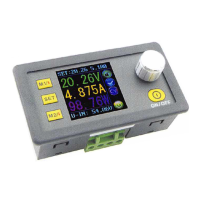
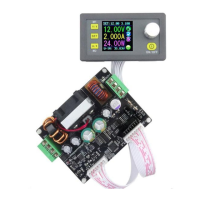
The constant voltage and constant current programmable control power
supply module put the collection of analog integration and digital control
functions in one. Its adjustable output voltage range is 0-50.OOV, step by
0.01V. Its adjustable output current range is 0-5.000A, step by 0.001 A.
This module has power-down stored function and can store 10 groups
preset value. And it also has the function of extracting quickly two groups
stored value. Compared with the traditional analog power supply, it is more
convenient to quickly extract the voltlage or current required. LCD display
on the module has the function digital voltmeter and ammeter. You can view
the preset voltage, input voltage, output voltage, the preset current, output
current, output power, etc. on the output state remind area, you can see that
output opens or not, the state of constant voltage and constant current,
output is normal or not, the key is locked or not, and the current data groups
that is being used. On the setting data interface, you can adjust over-voltage
value, over-current value, over-power value, data set and LCD brightness.
Th is m od ul e h as m an y a d v a n t a ge s, s ma ll s i z e , ad va nc ed f un ct io n,
good visual effect, high operability, high-precision, being used
independently, being inset into the device and been widely applied.
I
Tec hn ic a l p ar a m e te rs
T
Input voltage range: 6-55V
Output voltage range: 0V-50.00V/
Output current: 0-5.000A
Output power range: O-2&0V\
Product Welght:113g
Output voltage resolution: 0.01V
Output current resolution: 0.001 A
Product Dimension: 79mmX43mmX48mm
Open size: 71mmX39mm
Output Voltage accuracy: + (0.5% + 1 digit)
Output Current accuracy: + (0.5% + 2 digits)"
Note: You must make sure that input voltage is 1.1 times higher than
output voltage .Under large current circumstances, pay attention to heat
elimination.
Question and Answer IconNeed help?

Do you have a question about the RuiDeng DP50V5A and is the answer not in the manual?

RuiDeng DP50V5A Specifications

General IconGeneral
Input Voltage6-55V
Output Voltage0-50V
Output Current0-5A
Output Power250W
Voltage Resolution0.01V
Current Resolution0.001A
Display1.44 inch color LCD
Operating Temperature-10°C to +40°C
CoolingFan
ProtectionOver Temperature

Summary

Function Description

Open or Close Output

Short press to turn output on or off.

Lock Keys to Prevent Misoperation

Long press for 2 seconds to lock/unlock keys. Status bar shows lock status.

Data Storage Groups

M0 is default. Manual changes overwrite M0 and auto-save.

Quickly Recall Data Groups

Long press M1/M2 for 2 seconds to recall data. Status bar shows group number.

Recall Specified Data Group

Long press SET, rotate to select group, short press SET to recall.

After-sales Service

Warranty Terms

7-day return, 3-month free replacement, 1-year free repair. Exclusions apply.

General Information

Technical Parameters

Input voltage, output current, output power, dimensions, accuracy.

Connection Description

Input;Output Terminals

Positive and negative terminals for input and output.

Input Voltage and Type

Input voltage range 6-55V, DC input only. Reverse connection protection.

Panel Description

LCD Screen

1.44 inch color display for voltage, current, power, and status.

Control Elements

Coding potentiometer for adjustment and lock; buttons for data/output control.

Data Group Management

Functions for data group selection, extraction, and storage.

Output Control

Button to toggle output on/off.

Display Interface Description

Preset Values

Shows the target output voltage and current.

Actual Values

Shows real-time output voltage, current, and input voltage.

Status Indicators

Indicates key lock, output status, CV/CC mode, data set, and output state.

Main Interface

The primary operational screen displaying all key information.

Operation Instructions

Setting Output Voltage;Current (Main Interface)

Short press SET to adjust voltage/current numerically.

Setting Data (Data Setting Interface)

Press SET twice to enter data setting. Use M1/M2 to select U-SET/I-SET.

Setting Protection Values

Adjust over-voltage, over-current, over-power values.

Adjusting Screen Brightness

Adjust backlight brightness from 0-5.

Saving Data to Groups

Save settings into M0-M9 data groups.

Connection Instructions

Input;Output Terminal Description

Defines positive and negative connections for input and output.

Voltage and Connection Warnings

Input voltage range DC6-55V, DC input only. Follow wiring for protection.

Panel Description

Display Screen

1.44 inch color LCD screen.

Control Potentiometer

Used for data adjustment and locking all buttons.

Function Buttons

Buttons for selecting data groups and controlling output.

Display Interface Description

Voltage Settings

Shows preset and measured output voltage.

Current Settings

Shows preset and measured output current.

Power and Input Voltage

Shows measured output power and input voltage.

Status Indicators

Key lock, CV/CC status, data group, and output status indicators.

Main Interface

The primary operational screen.

Data Setting Interface

Interface for setting voltage, current, and protection values.

Operating Instructions

Welcome and Main Interface

Screen shows welcome window then main interface with key info.

Setting Output Voltage;Current

Short press SET for adjustment; turn potentiometer to change value.

Setting Data on Data Setting Interface

Press SET twice to enter. Use M1/M2 to page up/down to U-SET/I-SET.

Setting Protection Values

Set over-voltage, over-current, over-power values.

Adjusting Screen Brightness

Page to B-LED, adjust brightness 0-5.

Function Description

Open or Close Output

Press button on any interface to open or close output.

Lock Buttons

Long press coding potentiometer for 2s to lock/unlock buttons.

M0-M9 Data Groups

M0 is default. Extracted groups overwrite M0 and auto-save.

Extract Shortcut Data Group M1 or M2

Long press M1/M2 for 2s to extract corresponding data group.

Extract Specified Data Group

Long press SET for 2s, choose group, press SET to extract.

Product Introduction

Product Overview

Combines analog adjustment and digital control for voltage/current.

Product Specifications

Output voltage/current ranges, power, weight, dimensions, accuracy.

Important Notes

Ensure input voltage is 1.1x output voltage. Ensure heat dissipation for high current.

Related product manuals