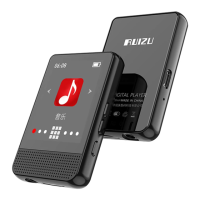
Touch button with “Music” on main interface to
access to its function. And then a related list will
Now Playing: View the music currently playing.
All songs: View the music list in alphabet order.
Artists: Play songs from Artist you like.
Albums: Play songs from Album you like.
Genres: Play songs from Genres you like.
Album art: View the covers of album.
Playlists: Play songs from 1 of 3 playlists.
UpdatePlaylist: Update the Data you just edited.
While it’s on music playing interface, touch button /
to go to the previous/next song.
Hold button / for fast rewind/ forward.
While it’s on music playing interface, hold button
to access to its sub-menu. The related list will show:



 To Next Page