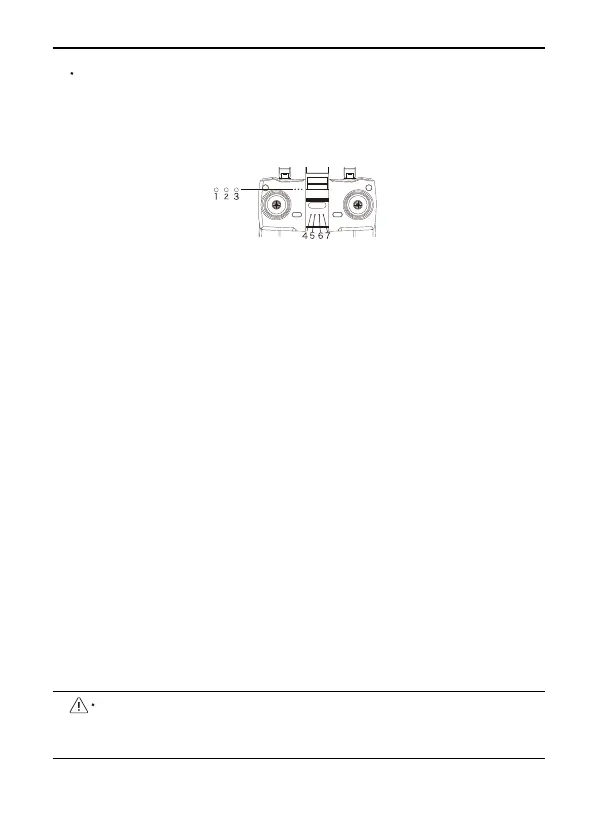
Transmitter's light description
Green light on: Charging is complete
Red light on: Charging
Power light:
a. The white light flashes when the power is turned on, and the
white light is always on after the left joystick is pushed up and
down to unlock the link.
b. Blinking during flight indicates that the transmitter is low power.
④
GPS/return to home light:
a. Turn off the GPS and the light goes out.
b. Return home: flashing + DI, DI sound
⑤
Speed light:
a. Low gear: off.
b. Medium-speed gear: always on.
c. High-speed gear: flashing
⑥
Photos/videos:
a. Take pictures: Press once to blink +DI sound.
b. Video: Always flashing + Didi sound
⑦
Headless mode:
a. Turn on the headless mode;
b. Turn on the blue light.
F11 User Manual
Copyright ©2022 Ruko All Rights Reserved. 30
①
②
③
Charging the Battery
Connect the transmitter Type-C interface to the charger for
charging. It is forbidden to use fast chargers that exceed the rated
power of the battery. It is recommended to use 5V/2A or 5V/3A
chargers, do not use more than 5V/3A chargers.
The transmitter cannot be turned on during charging, and the
transmitter can be turned on after unplugging the charging
cable.



 To Next Page