Model
Image Sensor
Resolutions
EIS
Lens
ISO
Shutter
Video File
Format
WiFi
APP
Inteace
Working Current
Run Time
Net weight
Dimensions
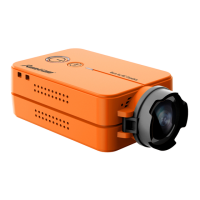
Runcam6
SOIY IMX 377 1/2.3'' 1200W
4K@30FPS/2.7K@60FPS/2.7K@30FPS/
1440P@60FPS/1080P@120FPS/
1080P@60FPS/1080P@50FPS/1080P@30FPS
6-DoF EIS
FOV D:155° H:135° V:77°
Auto
Auto
MP4
2.4G
Android,IOS
Type-C/HDMI
Max 500mA@ DC 5V
60Mins/4K30fps 110Mins/1080p60fps
135Mins/1080p30fps
49g(with batte)/35g(without batte)
66.5*40*20mm
RunCam App Download
12
RunCam App Connection
11
1. After turning on the camera, sho press the Wi-Fi/Menu button to turn
on the Wi-Fi. The Wi-Fi light indicator will blink blue slowly, and camera
waits for a connection on mobile device.
2. Go to WLAN/Wi-Fi setting of a mobile phone and nd
Runcam6_XXXXXXX device to connect, type in the password 1234567890
3. Turn to RunCam App, select RunCam 6 as the camera model to connect.
Preview and conguration will be available after a successful connection.
RunCam App suppos both Android and
iOS system. Please search and download
RunCam App at GooglePlay/ AppStore.
Product Suppo
Please visit: https://suppo.runcam.com/hc/en-us
13
Specications
14



 To Previous Page