Web: www.pacificwater.com.au TEL: 07 3376 9009 FAX: +61 7 3374 4716
Page 7 of 12
Initial Start Up
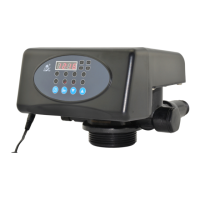
• Connect power to the Controller and set up the programming of the
valve
To Set Clock
– Unlock Valve – Press Up & Down arrow together for 5 secs until you hear
a beep.
– Press the Menu Button.
– The time will be displayed Press Menu button again.
– The hour time will flash.
– Change the Hour time to correct time by pressing the up or Down button
& press Menu to save.
– The minutes will then flash.
– Change the minutes time with the up or down arrow and press menu to
confirm changes.
Set Regeneration Time
– From the Set Clock setting press the down arrow.
– Press Menu – The hour will then flash change the Hour time to desired
time by pressing the up or Down button & press Menu to save.
– The minutes will then flash.
– Change the minutes time with the up or down arrow and press menu to
confirm changes.
Regenerate on 0m³ Capacity or at Regeneration Set Time
– From the Set regeneration time setting press the down arrow.
– A-01 will be on the screen.
o The setting is either A-01 or A-02
o A-01 will Regenerate at the next set time as per previous
instruction.
o A-02 will Regenerate immediately when capacity has reached 0m³.
– To change press Menu it will flash, press Up or Down and then menu to
save changes.
Leave the next setting at F-00


 To Next Page
 Loading...