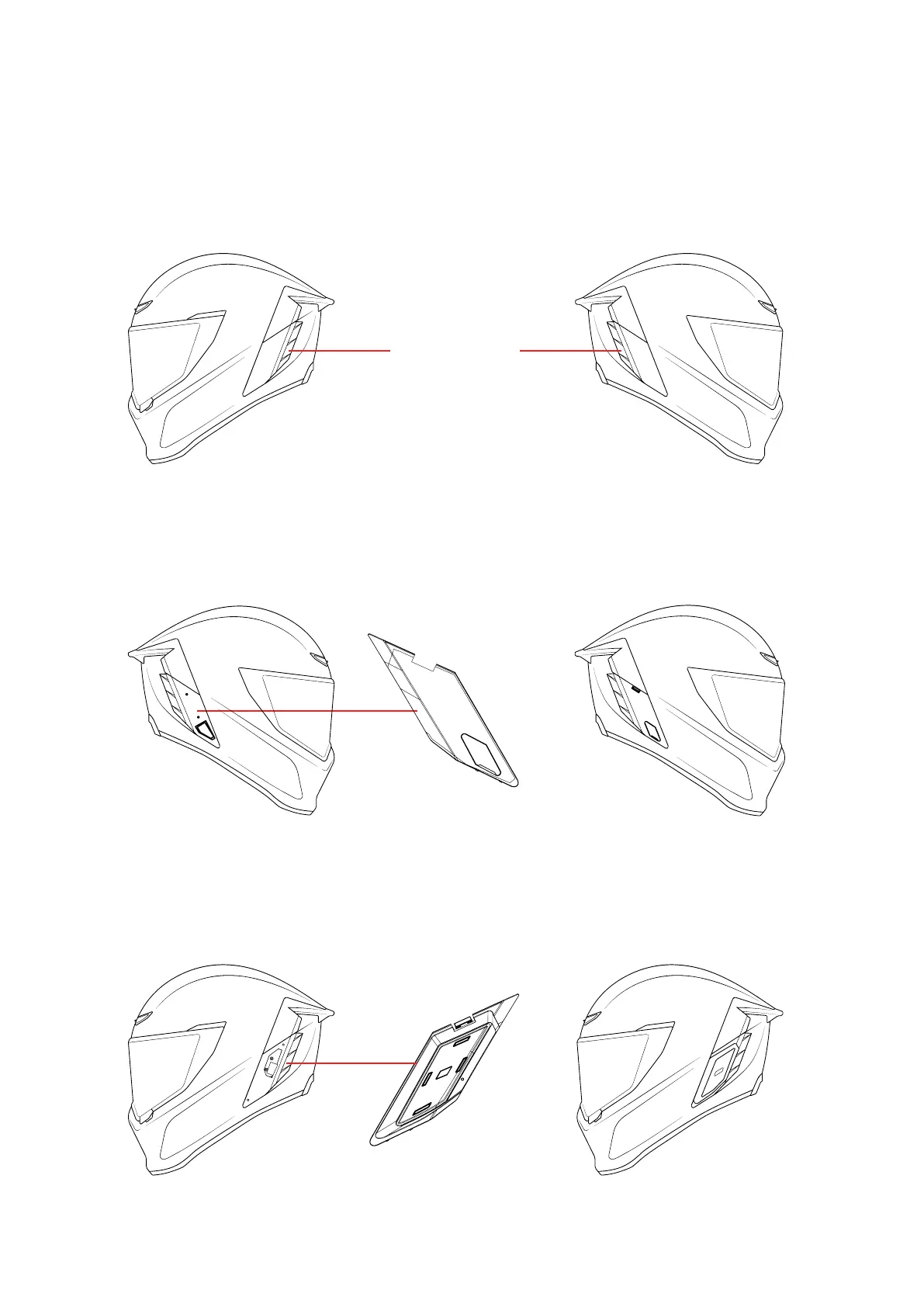
1. Remove the Snap-Fit Bluetooth cover on both sides of the helmet. Keep these covers
stored securely should you wish to re-use them in the future.
2. Insert Battery into side [A] by lining up the locators with slots in the battery cavity,
press until it ‘CLICKS’.
3. Insert Shockwave into side [B] by lining up the locators with slots in the Shockwave
cavity, and press until it ‘CLICKS’.
4. More information about how to install your Shockwave can be found here.
FITTING YOUR SHOCKWAVE
A A
B B
B A
REMOVE



 To Next Page