08
MIC
BLUETOOTH SYSTEM
(ELECTRONICS)
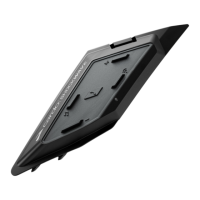
To install your Bluetooth system,
remove the plastic covers on both
sides of the helmet. On the helmets
right side, insert the bluetooth
systems battery unit by lining up the
locators with the slots in the cavity
and then pressing until you hear a
click. Repeat this step on the opposite
side with the control unit.
Every EOX helmet comes compatible
with Shockwave. To install and use
your Shockwave correctly please
follow the Shockwave manual here.
Visit our ‘how to’ guides for more
information.
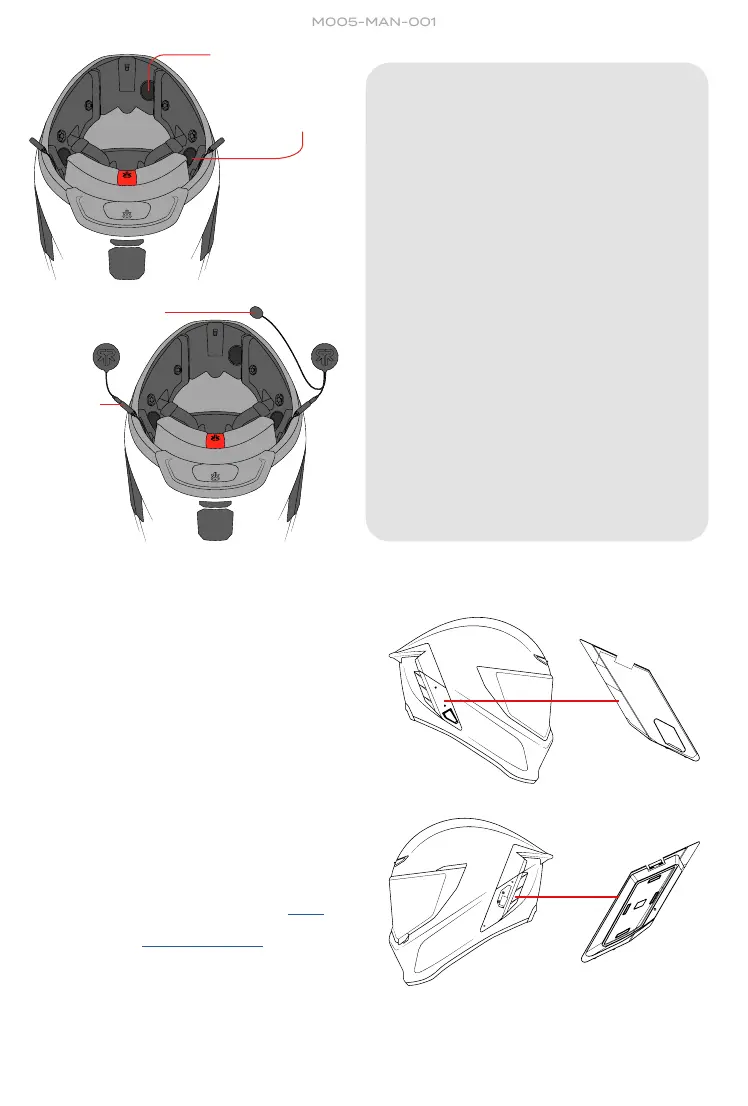
1. To begin, remove the internal ear
pads by gently unfastening the
poppers on each side.
2. Once removed fold the earpads
out of the way keeping the sides
closest to the lower part of the shell
connected. Once the earpads are
out of the way you should now be
in view of the speaker Velcro on
each side of the EPS as well as the
microphone Velcro at the front of
the helmet.
3. Place the microphone into position
at the front of the helmet in the
indicated location marked. Chase
the connecting wire back to the
speaker and secure to the first
Velcro point.
4. Take the trailing wire and connect
to the 3.5mm AUX port. Repeat on
the left hand side of the helmet with
the single speaker.
AUX
SPEAKER INSTALL
EOX WWW.RUROC.COM
MICROPHONE
VELCRO
SPEAKER
VELCRO


 To Next Page
 Loading...