This document is an operating manual for the Russell Hobbs ATHENA² vacuum cleaner, models RHUV5101 and RHUV5601. It provides instructions for assembly, operation, maintenance, and troubleshooting, along with important safety information and guarantee details.
Function Description
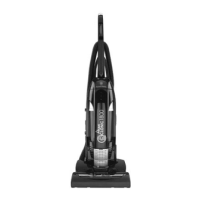
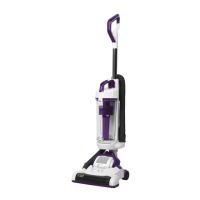
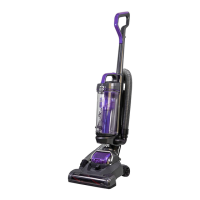
The Russell Hobbs ATHENA² is an upright vacuum cleaner designed for domestic use. It is suitable for cleaning both carpets and hard floors. The device is intended for dry vacuuming and should not be used to pick up water or other liquids, combustible substances, or hot/burning objects. It features a dust canister for collecting debris and requires regular filter washing for optimal performance.
Important Technical Specifications
The manual does not explicitly list detailed technical specifications such such as power consumption (watts), suction power (kPa), or dustbin capacity (liters). However, it implies standard electrical operation and mentions a thermal safety device that automatically cuts off power in case of overheating, requiring a 15-minute cool-down period to reset.
Usage Features
Assembly:
The assembly process involves connecting the main body components. The manual illustrates three steps:
- Attaching the handle to the main unit.
- Securing the handle with a screw.
- Assembling the dustbin and connecting it to the main unit.
Powering On:
The manual shows a diagram of the vacuum cleaner plugged into an electrical outlet, indicating a standard power-on procedure.
Suitable for Use:
The ATHENA² is versatile and can be used on two primary surface types:
- Carpet: Designed to effectively clean carpeted areas.
- Hard Floors: Also suitable for cleaning hard floor surfaces.
Carrying the Appliance:
The vacuum cleaner can be carried using a designated handle. A caution is noted to "Take care using as a carry handle," implying that users should exercise caution or ensure proper grip when transporting the device.
Tool Attachments:
The manual illustrates the use of various tool attachments, though specific names for these attachments are not provided. These attachments appear to be designed for cleaning different areas, such as upholstery or tight spaces. For "Pet models" specifically, there's a note: "*Only with Pet models" and "*Do not use on animals," suggesting a specialized pet hair attachment that should only be used for cleaning surfaces, not directly on pets.
Maintenance Features
Emptying the Bin:
The manual provides a three-step visual guide for emptying the dustbin:
- Detaching the dustbin from the main unit.
- Opening the dustbin to release collected debris into a waste receptacle.
- Reattaching the empty dustbin to the main unit.
Replacing the Belt:
Replacing the belt is a more involved maintenance task:
- Use a cross-head screwdriver to remove screws.
- Grasp the old belt and remove it from the motor shaft.
- Loop the new belt over the motor shaft.
- Stretch the other side of the belt over the floor brush in the space between the bristles.
- Turn the brush several times to align the belt.
- Replace the brush cover.
Looking for Blockages:
The manual includes visual cues for checking blockages in different parts of the vacuum cleaner, including the hose and main unit, indicating that users should visually inspect these areas for obstructions.
Washing the Filters:
Filter maintenance is crucial and highlighted as "IMPORTANT! WASH THE FILTERS."
- Frequency: Filters should be washed with cold water at least once a month. The manual also notes that filters may require more frequent washing if vacuuming fine dust.
- Process (Main Filter):
- Remove the main filter assembly from the dustbin.
- Separate the filter components.
- Wash the filter under cold water.
- Allow the filter to dry for 24 hours before reassembly.
- Process (Secondary Filter):
- Locate and remove the secondary filter (labeled "Filter Cover" and "Filter").
- Wash the filter under cold water.
- Allow the filter to dry for 24 hours before reassembly.
Important Safety Instructions
The manual emphasizes several critical safety points:
- Qualified Personnel: Only competent persons should perform service or repair operations involving the removal of covers that expose electrical parts.
- Damaged Cord: If the supply cord is damaged, it must be replaced by the manufacturer, its service agent, or similarly qualified persons.
- Intended Use: The product is for household use only and should not be used outdoors or for purposes other than its intended use.
- Children and Supervision: Can be used by children aged 8 and above and persons with reduced capabilities if supervised and instructed. Children should not play with the appliance or perform cleaning/maintenance without supervision.
- Water and Liquids: Do not immerse the appliance in water or other liquids, direct it at people/animals/electrical outlets, or pick up water/combustible substances/hot objects. Keep the vacuum cleaner away from water and do not handle with wet hands.
- Power Cord Handling: Do not pull or carry by the cord, use the cord as a handle, close doors on the cord, pull the cord around sharp corners, expose it to heat, or unplug by pulling on the cord.
- Damaged Unit: Do not use if the cord or plug is damaged, or if the vacuum cleaner has been dropped, damaged, left outdoors, or dropped into water.
- Unplugging: Always unplug from the outlet when not in use, before putting on/taking off parts, and before cleaning.
- Accessories: Only use accessories supplied by the manufacturer.
- Airflow: Ensure all air vents are clear and there is no restriction of airflow before use.
- Loose Clothing/Hair: Be aware that loose clothing or hair may become trapped.
- Exhaust Air: Caution: Exhaust air may extinguish gas fires or pilot lights; avoid directing the cleaner toward naked flames.
- Cables: Do not run the vacuum cleaner over any cables, including its own power cable, to prevent damage.
- Thermal Safety Device: The cleaner has a thermal safety device that cuts off power in case of overheating. Unplug and allow 15 minutes to cool down before restarting.
Guarantee and Support
- Guarantee: The product comes with a 12-month guarantee from the date of original purchase. Defects due to faulty materials or workmanship require the product to be returned to the place of purchase for refund or replacement (at the retailer's discretion).
- Conditions: The guarantee requires proof of purchase, adherence to instructions, domestic use, and does not cover wear and tear, damage, misuse, or consumable parts.
- Extended Guarantee: Registering the product online provides an additional year of guarantee free of charge. Additional cover can be purchased through the website.
- Contact Details:
- Website: https://mda.russellhobbs.com
- Telephone: 0345 209 7461
- Address: Product Care Customer Service, Green Bank Business Park, Hindley Green, Wigan, WN2 4AY
- Serial Number: Users are advised to note their serial number for future reference.
Problem Solving
The manual includes a troubleshooting section for common issues:
- Vacuum cleaner doesn't switch on: Check if plugged in, socket is switched on, try another appliance in the socket, check for cord/plug damage, allow to cool if recently used.
- Suction decreasing/dirt not picked up: Check if dust canister is full (empty if so), clean filters, check for blockages in the hose.
- Vacuum cleaner is overheating: Check filters are clean.
- Dust coming out of the vacuum: Ensure dust canister is fitted correctly.
- Air exhausted from the vacuum smells: Clean filters, hose, and dust container.
- Vacuum cleaner has cut out: Allow to cool for 1 hour, clean all filters and dust containers.
If difficulties persist, users are advised to contact Russell Hobbs Product Care BEFORE returning the appliance to the retailer.
- WEEE Symbol: The "Crossed-out wheelie bin Symbol" indicates that the product/batteries should not be disposed of with general household waste. Electrical/electronic/battery items should be discarded in separate collection schemes for recovery and recycling.
- Recycling Information: For nearest disposal facility, visit www.recycle-more.co.uk or ask in store.
The manual concludes by stating that the design and instructions may be altered without prior notice.

 Need help?
 General

 To Next Page