Need help?
Do you have a question about the Ruud EcoNet Smart Thermostat and is the answer not in the manual?
Provides complete control of the thermostat from home or on-the-go.
Allows users to change temperature settings using voice commands via Alexa.
Enables energy savings by overriding the programmed schedule with a single touch.
Alerts users to problems that require immediate attention.
Displays current weather conditions and an extended forecast for planning.
Wakes the thermostat display automatically when a user approaches.
Offers control over both HVAC systems and EcoNet Enabled water heating equipment.
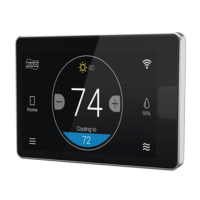
Explains the main display elements and indicators on the thermostat's home screen.
Displays outdoor temperature and provides access to weather forecasts.
Allows inputting contractor information via the brand logo.
Activates 'Away' settings and allows returning to previous settings.
Shows the current temperature inside the home.
Guides users to settings, schedule customization, and other menu functions.
Indicates important reminders or alarms and provides access to details.
Shows current WiFi signal strength and allows connection.
Displays current relative humidity and allows preference configuration.
Navigates to the screen for selecting the system operating mode.
Icons for accessing Schedule, Service, Settings, Status, and Water Heater functions.
Icons representing system modes: Auto, Cooling, Heating, Emergency Heat, Fan Only, Power Off.
Icons indicating the current Home or Away status of the thermostat.
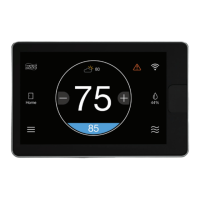
Visual indicator for alerts, warnings, or critical notifications.
Icons representing WiFi signal strength: Strong, Medium, Low, and Not Connected.
Explains icons for different weather conditions like sunny, rainy, cloudy, and foggy.
Steps for installing the thermostat, downloading the app, and creating an account.
Details expected features after connection, including weather forecasts and app control.
Guidelines for optimal placement of the thermostat on an interior wall.
Technical details on input voltage, AC line frequency, and WiFi standards.
Details terminal designations (R, C, E1, E2) and their functions for wiring.
Steps to safely turn off power, place a ferrite toroid, and secure the wall plate.
Instructions for connecting wires to the thermostat and powering the system on.
 General
| Type | Smart Thermostat |
|---|---|
| Connectivity | Wi-Fi |
| Voice Control | Amazon Alexa, Google Assistant |
| Display Type | Color Touchscreen |
| Control | Touchscreen, Mobile App, Voice Control |
| Geofencing | Yes |
| Color Display | Yes |
| Installation | Professional installation recommended |
| Compatibility | Compatible with most HVAC systems |
| Mobile App | EcoNet App |
| Power Source | 24VAC |
| Features | Air Filter Change Reminders |
| Energy Monitoring | Yes |
| Remote Sensors | No |
| Energy Saving Features | Smart scheduling, adaptive recovery, away mode, energy usage reports |

 To Next Page