Need help?
Do you have a question about the Ruud EcoNet and is the answer not in the manual?
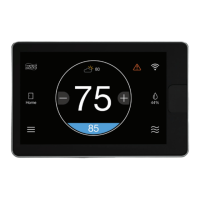
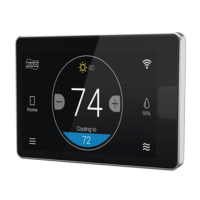
Details the layout and components of the thermostat's main display screen.
Explains the meaning of various icons and indicators shown on the thermostat's home screen.
Icons associated with the thermostat's main menu and navigation functions.
Icons that indicate whether the thermostat is set to home or away mode.
Visual representations of different outdoor weather conditions displayed by the thermostat.
Icons representing the different modes of system operation, such as heating and cooling.
Icons that signify system alerts, warnings, or important notifications.
Icons indicating the strength and status of the WiFi connection.
Steps and information for setting up remote access and control of the thermostat.
Guidelines for the proper physical placement and installation of the thermostat on a wall.
Technical details regarding the thermostat's voltage and frequency requirements.
Details the wiring connections and the recommended 'daisy chain' configuration.
Instructions for safely turning off power and preparing the wall for thermostat mounting.
Guidance on connecting wires to the thermostat and restoring power to the system.
Details compliance with FCC Part 15, including operational conditions for interference.
Information regarding the equipment's compliance with FCC radio frequency exposure limits.
Compliance statement for radio noise emissions and operational conditions per Industry Canada.
 General
| Connectivity | Wi-Fi |
|---|---|
| Voice Control | Amazon Alexa, Google Assistant |
| Energy Reports | Yes |
| Type | Smart Thermostat |
| Remote Access | Yes |
| Geofencing | Yes |
| Warranty | 5-Year Limited Warranty |
| Alerts | Maintenance alerts, extreme temperature alerts |

 To Next Page