Setup and Operations Manual SEE™
RVision P/N 660904-01 Rev 1 Page 37
Connectors
The LOOK
™
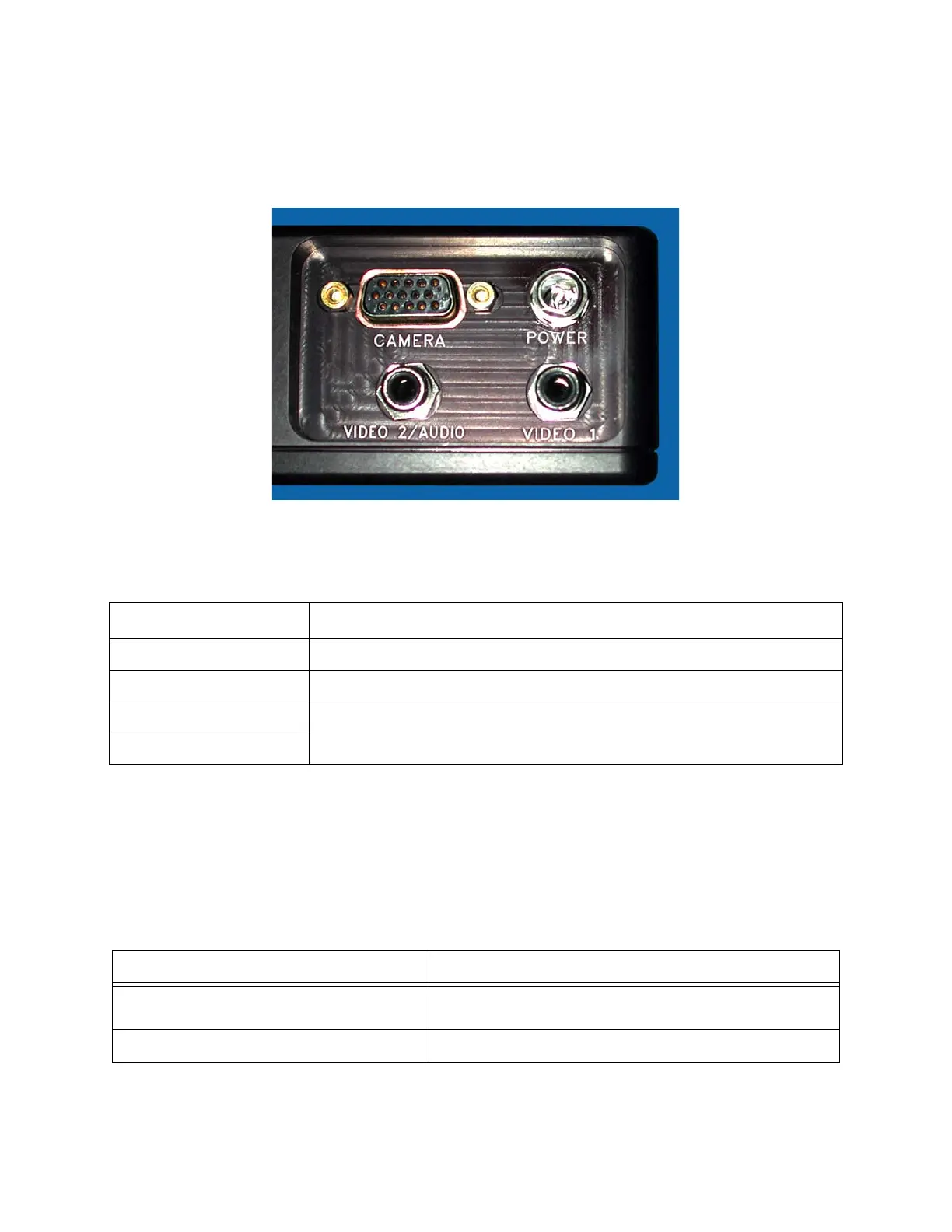
is configured with four connectors located in a cluster on the bottom of
the unit. Figure 38 shows the connectors.
Figure 38: Connectors
Table 12 describes the function of the four connectors.
Connecting the LOOK™
Connector Cables
The LOOK™ single mode configuration uses two types of cables. Table 13 lists these
cables by RVision part number and description.
Table 12: LOOK™ Single mode connectors and their function
Connectors Function
Camera Connector for the camera
Power Connector for power source (DC only)
Video 1 Connector for Video 1 output
Video 2/Audio Connector for optional microphone output.
Table 13: Cables connected to the LOOK™
RVision Part Number Description
721015 D-sub HiDef female-15 pin for the CAMERA con-
nector
700199 Power cable


 To Next Page