9. iPod / iPhone OPERATION
E - 8
This unit is equipped with iPod/iPhone Ready function which allows you
to directly control an iPod/iPhone from the front panel controls and
display iPod/iPhone song information on the unit's LCD screen. Please
see below for further information on these functions.
Compatible iPod/iPhone Models
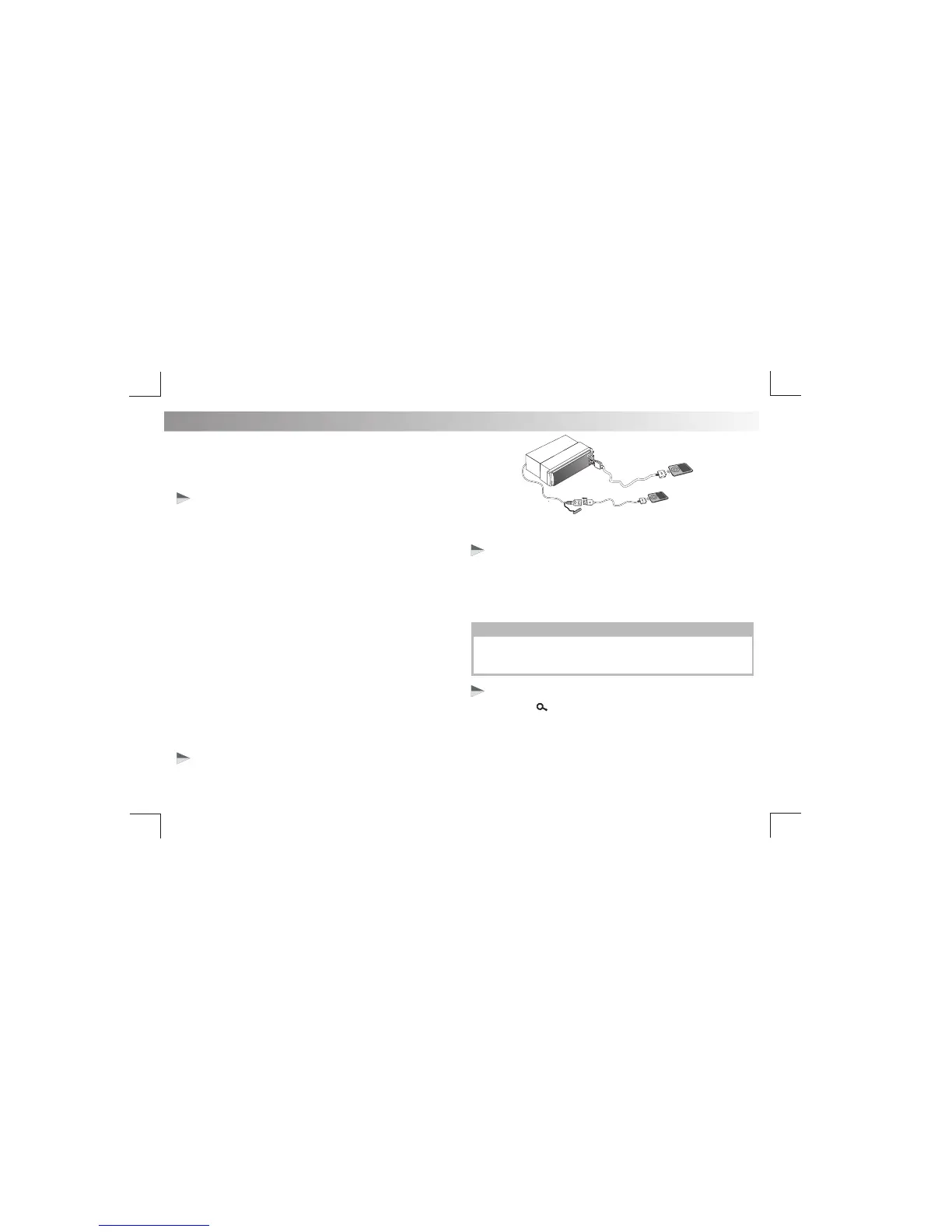
Connecting an iPod / iPhone
Suits most iPod and iPhone models:
Made for:
Works with:
• iPod nano (2nd generation)
• iPod nano (3rd generation, 4GB only)
• iPod nano (3rd generation, 8GB only)
• iPod nano (4th generation)
• iPod nano (5th generation)
• iPod classic (1st generation)
• iPod classic (2nd generation)
• iPod touch (1st generation)
• iPod touch (2nd generation)
• iPod touch (3rd generation)
• iPod video (30GB, 80GB only)
• iPhone
• iPhone 3G
• iPhone 3GS
• iPhone 4
• iPhone 4S
• iPhone 5
Insert the iPod/iPhone USB cable in to the Front Panel USB socket.
The unit will start playing the iPod/iPhone automatically.
Press & hold the INFO/MENU button on front panel to switch between the
the following two control modes:
• iPod control mode: Use the iPod/iPhone to operate music functions.
• Head Unit control mode: Use the head unit button to control the
functions of the iPod/iPhone.
iPod/iPhone control music playback mode
Search for a track on iPod/iPhone
CHARGING FUNCTION
Connecting you iPod/iPhone to the front or rear USB port (Note only
one iPod or iPhone can be connected to the unit at a time) will also
1. Press BAND/ to browse iPod/iPhone menu.
2. Rotate the Encoder Volume knob to search through the following
options: PLAYLIST/ARTIST/ALBUM/SONGS/GENRE/COMPOSER/.
3. Then rotate the Volume Knob to find an item within your selection and
depending on which setting you are in, press the Volume Knob to
iPod/iPhone USB cable
(not supplied with this unit)
charge the device at the same time.
AUDIOBOOK/PODCAST. Press the Volume Knob to make a selection.
start playing or make a further selection within your chosen option.


 To Next Page