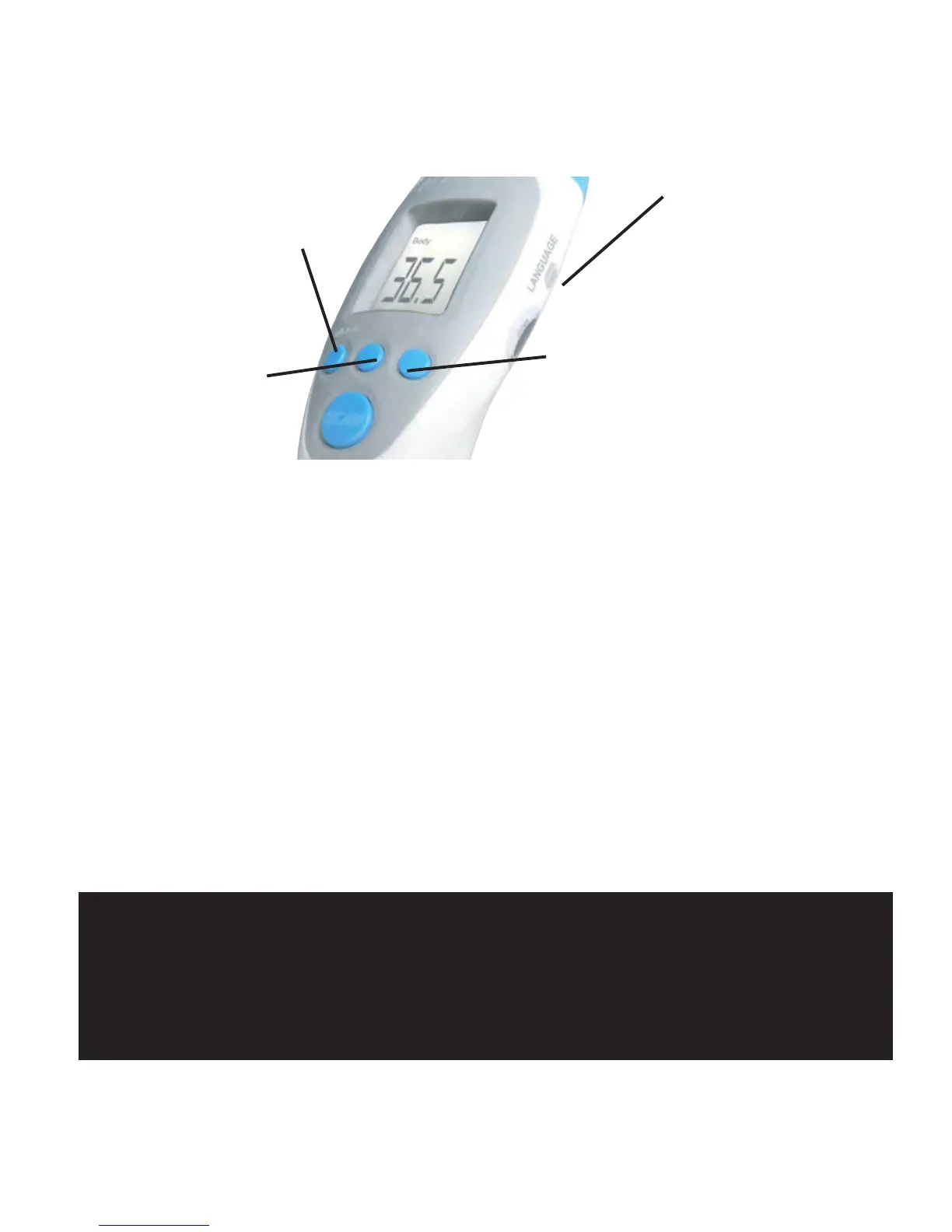
VIII. SETTING AND FUNCTION OF MENU
12
MENU
Language
CONFIGURATION AND FUNCTION OF MENU
1.Setting the mode
a.Press Mode button,and the screen will display:Body…°C
b.Press again and the screen will display:Surface Temp…°C
c.Press again and the screen will display:Room…°C
Note:The thermometer default is set to BODY mode
2.Press the °C/ °F button to transfer between Celsius and Fahrenheit
3.Press Mem (Memory)button,which will then display the last temperature,
and allows for a view of the last 32 measurements taken.
4.Press the Language button to display a choice of three languages,as well
as an “off” setting ,which will silence the talking feature of the unit.
Important!
The surface body temperature differs from the internal body temperature.
To obtain the interanl temperature ,always use the “BODY”mode.
Please make sure to select”SURFACE TEMP”mode for an external area
reading.
°C/°F
MEM


 To Next Page