3
English
EN
FR DE ES IT NL PT DA SV FI NO RU PL CS HU RO LV LT ET HR SL SK UKBG TR EL
WARNING
Always wear safety goggles or safety glasses with side
shields when operating products. Failure to do so could
UHVXOWLQREMHFWVEHLQJWKURZQLQWR\RXUH\HVUHVXOWLQJ
LQSRVVLEOHVHULRXVLQMXU\
WARNING
Do not use any attachments or accessories not
recommended by the manufacturer of this product. The
use of attachments or accessories not recommended
FDQUHVXOWLQVHULRXVSHUVRQDOLQMXU\
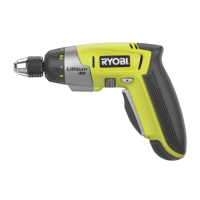
TO CHARGE (FIG. 2)
When charging the screwdriver, a red charge light will
illuminate on the handle of the screwdriver. This red charge
light will go off when the screwdriver is fully charged.
,QVHUW FKDUJHU SOXJ LQWR LQSXW MDFN PDNLQJ VXUH LW LV
properly connect ed.
Charger can be used with normal household voltage of
230 V, 50Hz, AC only.
Connect charger to power supply.
After normal usage, a minimum of 3 hours of charging
time is required to fully recharge the screwdriver.
Do not place charger in an area of extreme heat or
cold. It will work best at normal room temperature.
Remove the product from the charger once it is fully
charged and ready for use.
WARNING
Battery products are always in operating condition.
Therefore, the switch should always be locked when
not in use or carrying at your side.
ADJUSTABLE TORQUE CLUTCH
7KLV VFUHZGULYHU LV HTXLSSHG ZLWK DQ DGMXVWDEOH WRUTXH
clutch for driving different types of screws into different ma
te ri als. The proper setting depends on the type of ma te
ri al and the size of screw you are using.
ADJUSTING TORQUE (FIG. 3)
There are twelve torque indicator settings located on the
front of the screwdriver.
5RWDWHDGMXVWPHQWULQJWRGHVLUHGVHWWLQJDOLJQLQJQXP
EHURQDGMXVWPHQWULQJZLWKDUURZRQKRXVLQJ
1 - 2 For driving small screws
3 - 4 For driving screws into soft material
5 - 7 For driving screws into soft and hard
materials
8 - 9 For driving screws into hard wood
10 - 11 For driving large screws
For full power applications
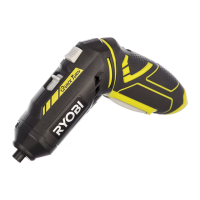
DIRECTION OF ROTATION SELECTOR (FORWARD/
REVERSE/CENTER LOCK) (FIG. 4)
The direction of bit rotation is reversible and is controlled
by a selector located above the switch trigger. With
the screwdriver held in normal operating position,
the direction of rotation selector should be positioned
to the left of the switch trigger for forward motion.
The direction is reversed when the selector is to the right
of the switch trigger.
Setting the switch trigger in the OFF (center lock) position
helps reduce the possibility of accidental starting when
not in use.
To stop the screwdriver, release the switch trigger and
allow the collet to come to a complete stop.
INSERTING/REMOVING BIT (FIG. 5)
Insert the bit into collet until it snaps in place. Remove
the bit by pulling it out of the collet.
SPINDLE LOCK
7KHVFUHZGULYHUVSLQGOHLVORFNHGZKHQWKH2Q2IIVZLWFK
is not pressed.
This enables screws to be screwed in, even when the
battery is empty.
GRIP ZONE
Soft grip reduces the danger of slipping and thereby
improves the grip on the tool and handing.
At the same time, The rubber coating achieves a
vibration-reducing effect.
LED WORKLIGHT (FIG. 6)
The screwdriver has a built-in LED worklight. This feature
is convenient when working in close or tight areas where
additional light is needed. Whenever the switch trigger is
depressed, the LED worklight will illuminate.
NOTE: During normal operation, if the LED worklight will
not illuminate, charge the screwdriver.



 To Next Page