3
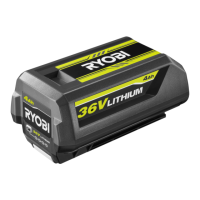
R36BTY8
1
2
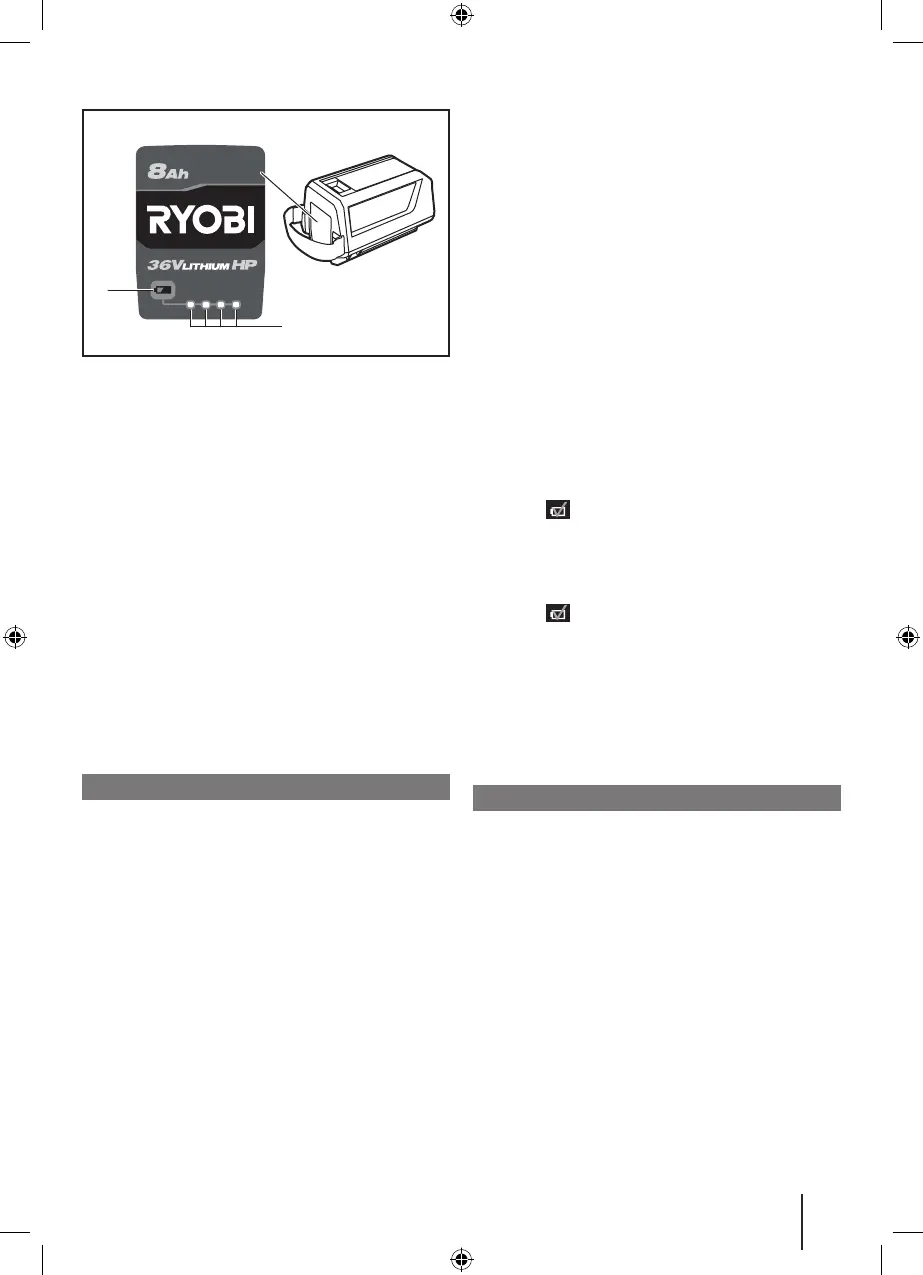
1. Fuel gauge button
2. LED indicator
BATTERY PROTECTION FEATURES
RYOBI 36V lithium-ion battery packs are designed with
features that protect the lithium-ion cells and maximise
battery life. If the tool stops during use, the following may
be the causes:
■ The maximum current draw of the battery pack has been
exceeded, causing it to automatically stop powering the
tool. Release and pull the trigger or remove and reinstall
the battery pack to reset the tool.
■ Excessive temperatures can cause the battery to stop
powering the tool. Feel the battery pack; if it is too warm,
allow it to cool down.
If the tool still does not work, the battery may not be
suciently charged. Recharge the battery.
NOTE: The battery pack LED indicator will not work if the
battery protection feature has caused the battery pack
to stop powering the tool. Release and pull the trigger or
remove and reinstall the battery pack. Check the fuel gauge
if the battery pack LED indicator has resumed normal
function.
CHARGING THE BATTERY PACK
Battery packs are shipped in a low-charge condition. Charge
them until the green LED on the front of the charger stops
ashing and stays solid green.
If the charger does not charge the battery pack under
normal circumstances, contact an authorised service centre
for related advice.
TO CHARGE
■ Use a battery pack only with the recommended charger.
■ Connect the charger to the power supply. Make sure
that the power supply is the normal household voltage,
220–240 V AC, 50 Hz.
■ Make sure that the latch of the battery pack clicks into
place and the battery pack is secured in the charger
before beginning operation.
■ Slide the battery pack along the groove of the charger.
■ Press down on the battery pack to make sure that the
contacts on the battery pack engage properly with the
contacts in the charger.
■ Do not place the charger and battery pack in an area of
extreme heat or cold. They work best at normal room
temperature.
NOTE: The charger and battery pack should be placed in a
location where the temperature is more than 10°C but less
than 38°C.
■ The battery pack becomes slightly warm to the touch
while charging. This is normal and does not indicate a
problem.
■ After charging is complete, the charger green LED
remains on for approximately 5 to 10 minutes and then
turns off.
NOTE: LED indicators on chargers may vary. Refer to
the operator’s manual provided with the product.
■ After charging is complete, the battery pack LED
indicator turns off after a few minutes. If the battery pack
has been removed from the charger or the charger has
been removed from the power supply, the battery pack
LED indicator turns off after a few minutes.
■ When batteries become fully charged, unplug the
charger from the power supply and remove the battery
pack.
■ Press the latch of the battery pack to remove the battery
pack from the charger.
CHARGING A HOT BATTERY PACK
If the battery pack is above normal temperature range, the
LED of the icon turns on or ashes. When the battery
pack cools down to below 45°C, the charger automatically
begins fast charge mode.
CHARGING A COOL BATTERY PACK
If the battery pack is below normal temperature range, the
LED of the icon turns on or ashes. When the battery
warms to a temperature of more than 5°C, the charger
automatically begins charge mode.
COLD WEATHER OPERATION
The lithium-ion battery pack can be used in temperatures
down to –10°C. Put the battery pack on a tool and use the
tool in a light-duty application. After about a minute, the
battery pack will have warmed up and will begin operating
normally.
MAINTENANCE AND STORAGE
RYOBI battery packs have been designed to provide
maximum trouble-free life. However, like all batteries, they
will eventually wear out. Do not disassemble the battery
pack and attempt to replace the battery cells. Handling of
these batteries, especially when wearing rings and jewelry,
could result in a serious burn.
To obtain the longest possible battery life, follow these
storage instructions:
■ Remove the battery pack from the charger once it is fully
charged and ready for use.
■ For battery pack storage longer than 30 days:
● Store the battery pack where the temperature is
below 38°C and away from moisture.
● Store battery packs in a 30%–50% charged
condition.
● Every six months of storage, run the battery with
a tool until cut off by the battery pack’s program
control. Then charge the battery pack as normal.



 To Next Page
 Loading...