EasyManua.ls Logo

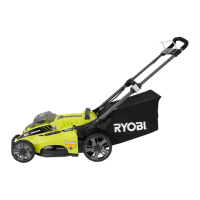
Ryobi RY18LMX40B - User Manual

Ryobi RY18LMX40B
204 pages
Print Icon
To Next Page IconTo Next Page
Loading...
EN
FR
DE
ES
IT
NL
PT
DA
SV
FI
NO
RU
PL
CS
HU
RO
LV
LT
ET
HR
SL
SK
BG
UK
TR
RY18LMX40B
FRONT PAGE
Question and Answer IconNeed help?

Do you have a question about the Ryobi RY18LMX40B and is the answer not in the manual?

Summary

INTENDED USE

GENERAL SAFETY WARNINGS

PERSONAL SAFETY

WORK AREA SAFETY

BATTERY TOOL USE AND CARE

PRODUCT FEATURES

OVERLOAD AND OVERHEAT PROTECTION

Explains the product's automatic shutdown mechanisms for safety and durability.

TELESCOPIC HANDLE

Describes the adjustable handle for convenient storage and operation.

INTERFACE BOARD OVERVIEW

High load

Indicates high load, potential stall. Suggests adjusting settings.

Battery charge status button

Powers up the battery level indicator when pressed.

Battery level indicator

Shows the amount of charge left in the battery packs.

Blade check indicator

Indicates that the blade needs to be checked for replacement.

Overload indicator

Signals that the product is overloaded and the blade may be jammed.

Mode button

Changes the cutting mode of the product when pressed.

Power mode

Indicates high speed for heavy grass cutting.

Smart mode

Mower adjusts blade speed based on load for general cutting.

Eco mode

Indicates low speed for thin grass cutting.

RYOBI WARRANTY APPLICATION CONDITIONS

AUTHORISED SERVICE CENTRE

Summary

INTENDED USE

GENERAL SAFETY WARNINGS

PERSONAL SAFETY

WORK AREA SAFETY

BATTERY TOOL USE AND CARE

PRODUCT FEATURES

OVERLOAD AND OVERHEAT PROTECTION

Explains the product's automatic shutdown mechanisms for safety and durability.

TELESCOPIC HANDLE

Describes the adjustable handle for convenient storage and operation.

INTERFACE BOARD OVERVIEW

High load

Indicates high load, potential stall. Suggests adjusting settings.

Battery charge status button

Powers up the battery level indicator when pressed.

Battery level indicator

Shows the amount of charge left in the battery packs.

Blade check indicator

Indicates that the blade needs to be checked for replacement.

Overload indicator

Signals that the product is overloaded and the blade may be jammed.

Mode button

Changes the cutting mode of the product when pressed.

Power mode

Indicates high speed for heavy grass cutting.

Smart mode

Mower adjusts blade speed based on load for general cutting.

Eco mode

Indicates low speed for thin grass cutting.

RYOBI WARRANTY APPLICATION CONDITIONS

AUTHORISED SERVICE CENTRE

Ryobi RY18LMX40B Specifications

General IconGeneral
BrandRyobi
ModelRY18LMX40B
CategoryLawn Mower
LanguageEnglish

Related product manuals