3.4 MEASURING RESISTANCE
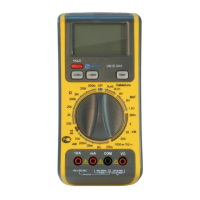
3.4.1 Connect the black test lead to the COM jack
and the red test lead to the V/Ω jack. ( NOTE :The
polarity of red lead connection is positive“+”)
3.4.2 Set the rotary switch at desired Ω range
position and connect test leads across the
resistance under measurement. Read LCD
display.
NOTE:
1. For resistance above 1MΩ, the meter may take
a few seconds to stabilize reading.
2. When the input is not connected, i.e. at open
circuit, the figure “1”will be displayed for the
overrange condition.
3. When checking in - circuit resistance, be sure
the circuit under test has all power removed and all
capacitors are full discharged.
4. At 200MΩ range display is 10 counts when test
leads are shorted. These counts have to be
subtracted from measuring results. For example,
when measuring 100MΩ resistance, the reading
will be 101.0 and the correct measuring result
should be 101.0 — 1.0 = 100.0 MΩ.
- 9-


 To Next Page