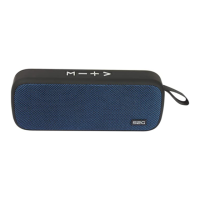
9. Music play/pause/call/camera shutter remote/long press
to switch into the FM mode, then long press for 2 seconds
automatically searching for radio stations, short press again
stops search. Taking incoming Call just press. In camera
mode, making picture.
10. short click for the next song, long press to increase the
volume
11. hanging hook (carabiner included)
12. Microphone
Operation
Charging the battery
(see illustration back cover page)
Connect the included recharger cable to the charger connec-
tion (6) of the device.
Connect the recharger cable to a free USB port of a computer


 To Next Page