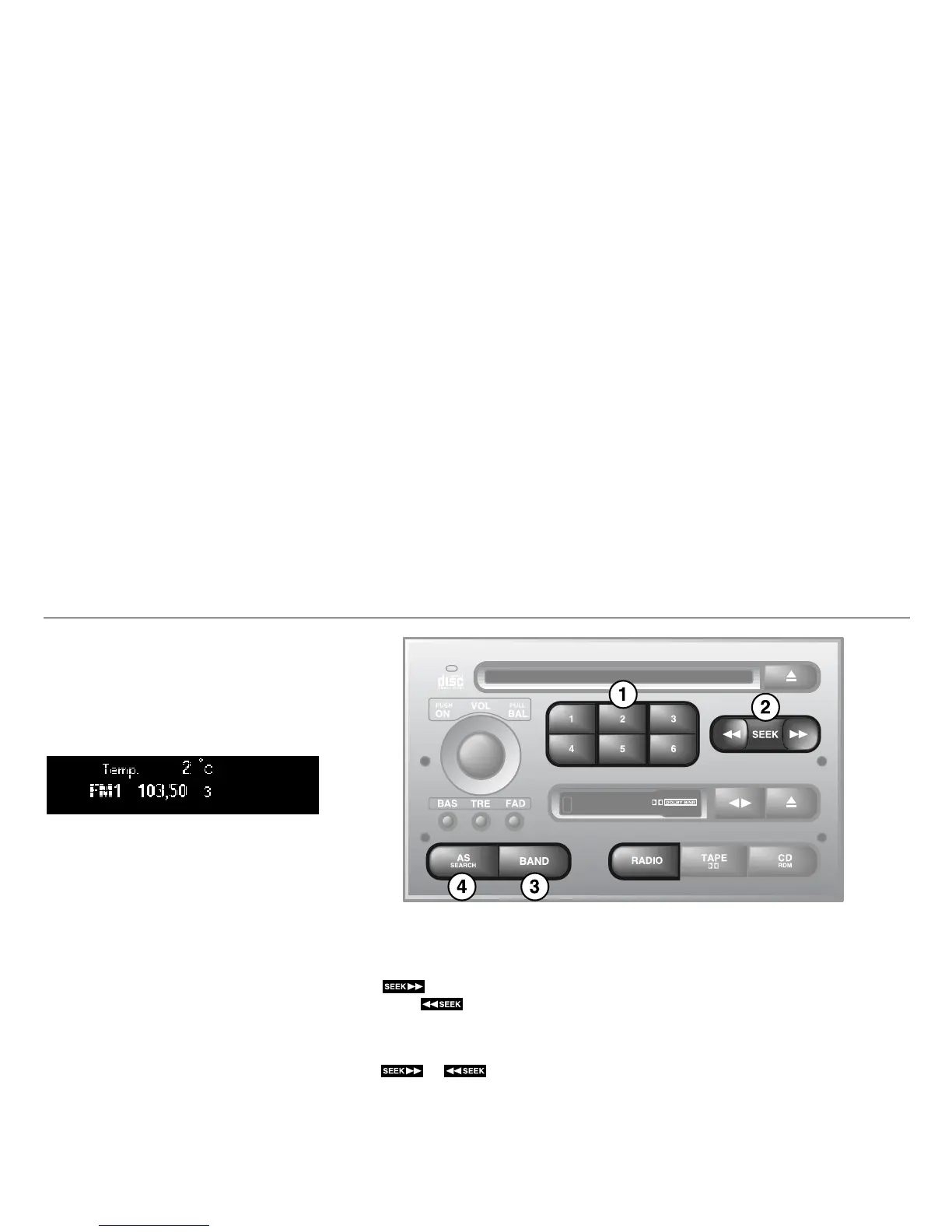
88 Saab 9-5 Audio System
Radio
Press the /BAND button to switch to the
radio when another source is active.
Preset station buttons (1)
Press once (release within a second) to
select a preset station, e.g.
The small figure on the far right of the dis-
play is the number of the preset button
selected.
Presetting a station
Press and hold in the desired button (for
more than a second) to store the currently
tuned station. During this time, the radio will
be mute. The sound will return as soon as
the station has been stored.
Tuning (2)
Automatic seek tuning:
Press briefly to search for higher fre-
quencies or for lower frequencies.
Manual tuning:
To switch to the manual-tuning function,
press or and release quickly
(a chime will sound and the M indicator will
appear on the display).
The function will revert to automatic seek
tuning two seconds after the last manual
frequency change has been made.
IB1843















 To Next Page