115Instruments and controls
Settings
Some of the functions of the ACC system
can be customized.
1Select Settings using the steering
wheel controls, or .
2 Press and hold the SET button until
given audible confirmation.
3Select Climate System.
4 Press the SET button.
5 Select the Rear Defroster, Heated
Seats, Fan Settings, A/C Mode or
Default Settings.
6 Press the SET button.
7 Make your selection.
8 Confirm your selection by pressing the
SET button.
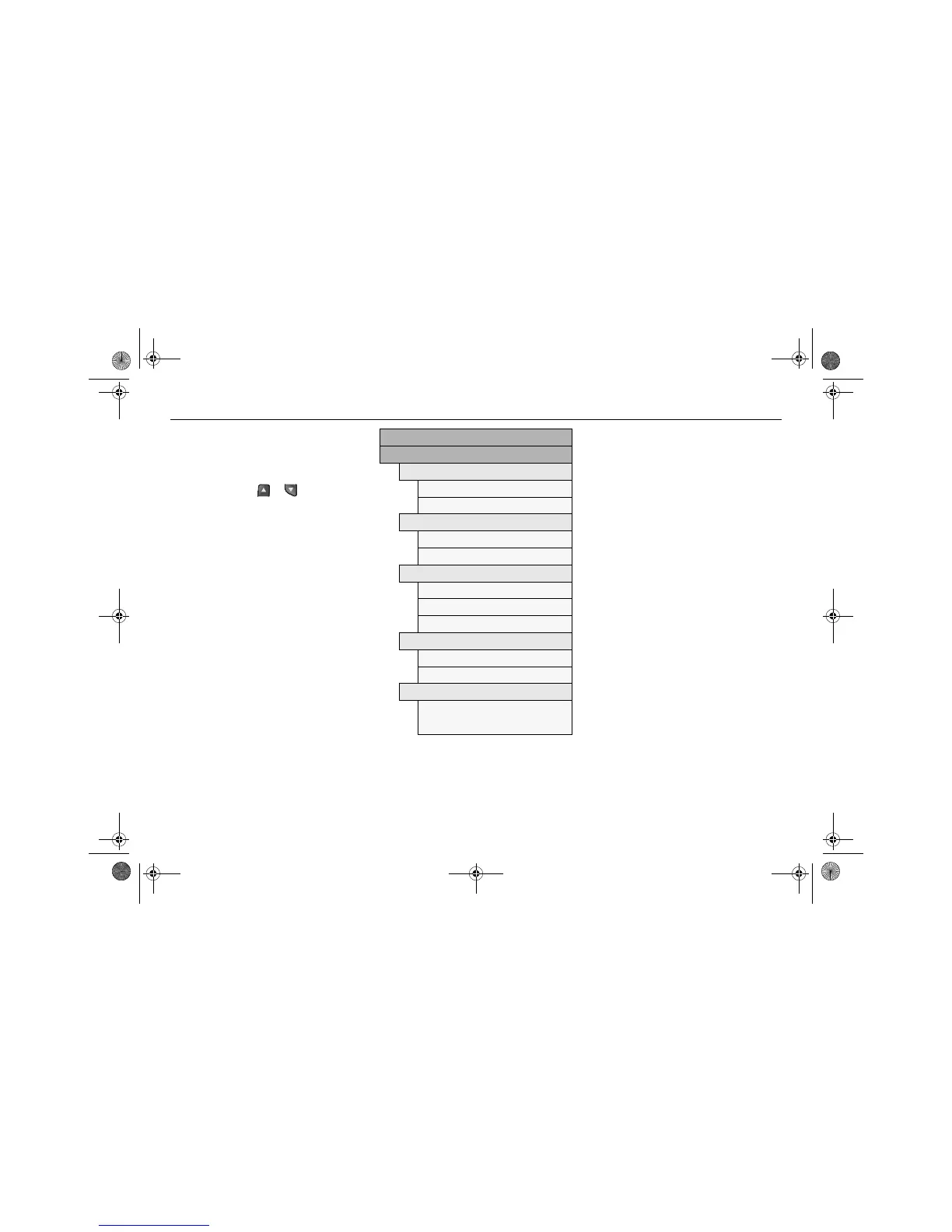
Explanation of how the ACC system can be
customized under Settings.
Settings
Climate System
Rear Defroster
AUTO
MANUAL
Heated Seats
AUTO
MANUAL
Fan Settings
HIGH SPEED
MEDIUM SPEED
LOW SPEED
A/C Mode
AUTO
OFF
Default Settings
Are you sure?
YES NO
Rear Defroster
AUTO
The rear window and door mirror
heating is controlled automatically.
This is one of the Default Settings.
MANUAL
The rear window and door mirror
heating is switched on with
the button on ACC panel.
Convertible: The rear window heating
cannot be turned on when the soft top is
folded.
Heated Seats
AUTO
The front seat heating is controlled
automatically.
Select the level by repeatedly
pressing the appropriate button on
the ACC panel.
MANUAL
See Electric heating, front
seats
3
on page 114.
This is one of the Default Settings.
Fan Settings
HIGH SPEED
This selection give a slightly higher
fan speed than MEDIUM SPEED
though with continued automatic
regulation.
MEDIUM SPEED
93_US_MY09.book Page 115 Tuesday, April 15, 2008 10:30 AM


 To Next Page