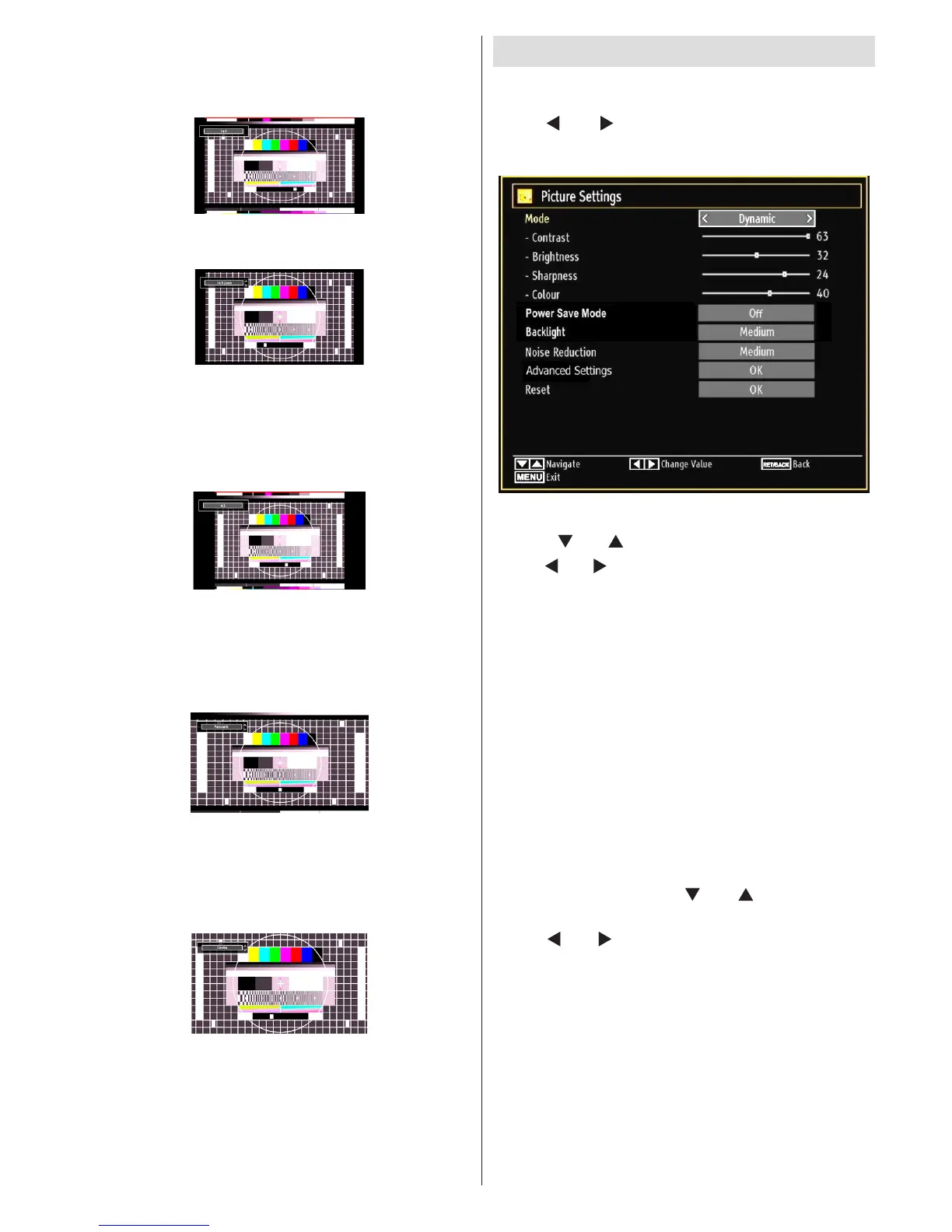
14:9
This zooms up the wide picture (14:9 aspect ratio) to
the upper and lower limits of the screen.
14:9 Zoom
This option zooms to the 14:9 picture.
4:3
Use to view a normal picture (4:3 aspect ratio) as this
is its original size.
Panoramic
This stretches the left and right sides of a normal
picture (4:3 aspect ratio) to ll the screen, without
making the picture appear unnatural.
The top and bottom of the picture are slightly cut off.
Cinema
This zooms up the wide picture (16:9 aspect ratio) to
the full screen.
Conguring Picture Settings
You can use different picture settings in detail.
Press MENU button and select the Picture icon by
using “
” or “ ” button. Press OK button to view
Picture Settings menu.
Operating Picture Settings Menu Items
Press “• ” or “ ” button to highlight a menu item.
Use “•
” or “ ” button to set an item.
Press • MENU button to exit.
Picture Settings Menu Items
Mode: For your viewing requirements, you can set
the related mode option. Picture mode can be set
to one of these options: Cinema,Game,Dynamic
and Natural.
Contrast: Sets the lightness and darkness values
of the screen.
Brightness: Sets the brightness value for the
screen.
Sharpness: Sets the sharpness value for the objects
displayed on the screen.
Colour: Sets the colour value, adjusting the colors.
Power Save Mode : Use “
” or “ ” button to select
Power Save Mode.
Press “
” or “ ” button to set Power Save Mode as
On or Off.
See the section, “Environmental Information” in
this manual for further information on Power Save
Mode.
Note : Backlight function will be inactive if Power Save
Mode is set to on.
Backlight (optional): This setting controls the
backlight level and it can be set to Auto, Maximum,
Minimum, Medium and Eco Mode (optional).



 To Next Page