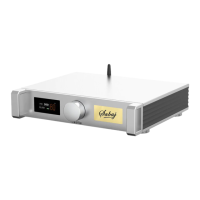
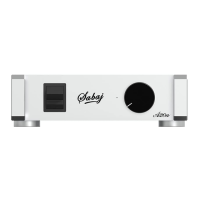
A10a
Display Interface and Instructions
Stereo application:
Refer to the picture above and connect the speakers and power supply.
Line Input Mode
Switches 6, 7, and 8 are all turn up, and use a well-shielded RCA cable
to connect the RCA socket 4 and the RCA socket of the audio source
output.
Turn on the power by turning on the power switch 1 and turn the volume
knob 2 to adjust the appropriate volume.
Bluetooth input mode
Connect the Bluetooth antenna, switch 6 is turn down, switches 7 and 8
are turn up,turn on the power switch 1, turn on the bluetooth on the
mobile phone and search for "SABAJ BT5.0C" to confirm the connection.
Open the mobile phone music player, open the music to be played, and
adjust the volume of the mobile phone to the maximum.
Rotate volume knob 2 to adjust the appropriate volume.
If you want to use another mobile phone for Bluetooth connection,
please press the button in the "Bluetooth Clear" hole on the back panel
for 1 second with a slender object such as a toothpick, and then perform
pairing with other mobile phones after clearing the Bluetooth memory.
BTL Applications:
Refer to the BTL mode speaker connection diagram to connect the speakers and
power supply.
Full-range RCA input mode
Switches 6 and 7 are turn up, switches 8 and 9 are turn down, and a
well-shielded RCA cable is used to connect the RCA, socket 4 and the
RCA socket of the audio source output.
Turn on the power switch 1 and turn the volume knob 2 to adjust the
appropriate volume.
Full-range XLR input mode
Switches 6, 7, and 9 are turn up, and switch 8 is turn down. Use a
shielded XLR cable to connect the XLR socket 5 and the XLR socket of
the audio source output.
Turn on the power switch 1 and turn the volume knob 2 to adjust the
appropriate volume.


 To Next Page
 Loading...