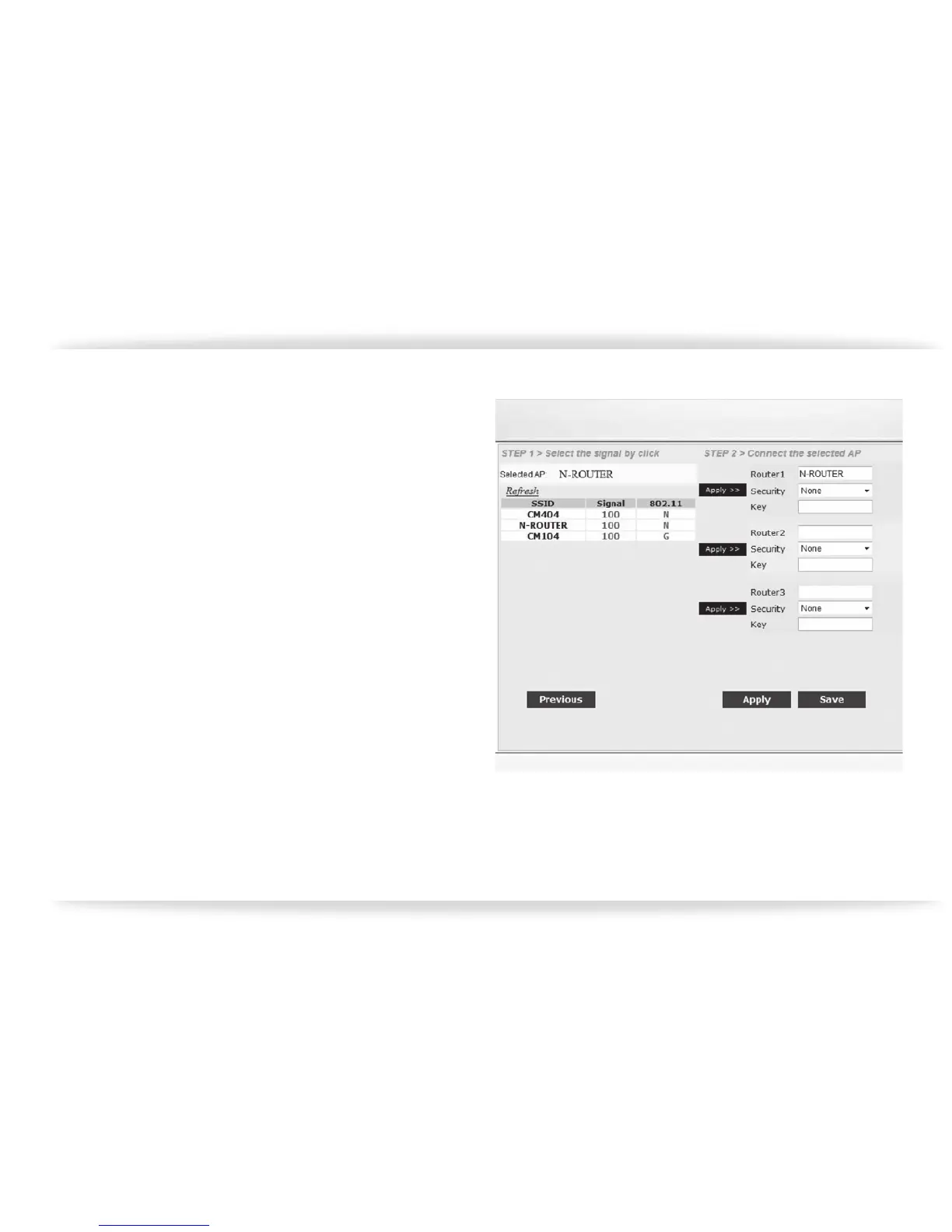
e. Click on the SSID of the wireless connection
you wish to use, and then click on “Apply” in
the “Step 2” section of the page. The SSID
will appear in the top most slot. Select/
Enter the appropriate security settings to
allow the CM1 to join the wireless network
(gure-14).
gure-14


 To Next Page