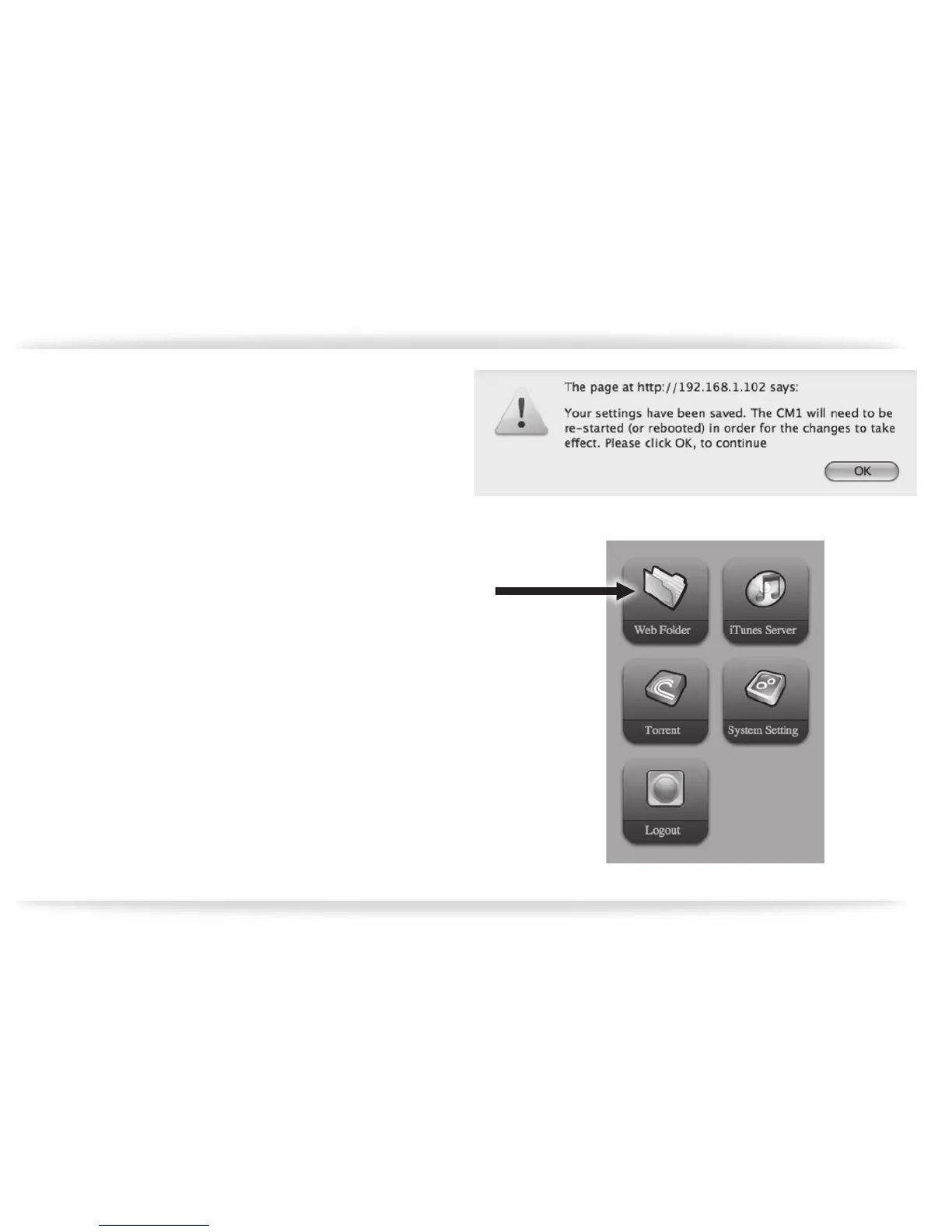
f. Click “Apply” down at the bottom and you will
see a warning dialog appear (gure-15).
Once the setting is applied, the CM1 will re
boot. Once the WiFi light stops ashing red
and green, and turns all green, you can then
power down the CM1, remove the Ethernet
cable, and power it back up. You can now
relocate your CM1 to your desired location
and it will operate wirelessly as long
as there is a strong signal.
Three Folders have been created on the
CM1. These folders can be accessed us
ing the web interface. Select “Web Fold
er” (gure-16).
gure-15
gure-16


 To Next Page