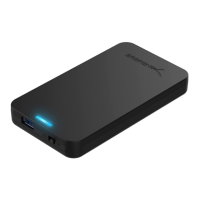
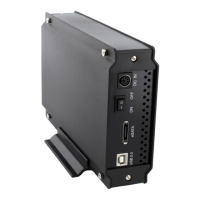
Need help?
Do you have a question about the Sabrent EC-SNVE and is the answer not in the manual?
Highlights tool-free installation, aluminum case, compatibility with M.2 sizes, plug & play, and bus power.
Lists the enclosure, USB Type-C cable, and quick user guide included in the package.
Specifies compatibility with Windows 7+, Mac OS 10.5+, and Linux operating systems.
Ensure the USB cable is disconnected before proceeding to open the enclosure.
Push the release button and lift the aluminum case to open the enclosure.
Rotate the aluminum case open without detaching it from the ABS frame.
Slide the M.2 SSD into the socket at a 20-degree angle until properly seated.
Lower the SSD and install the rubber fastener to secure it within the enclosure.
Rotate the aluminum case back to its closed position until it clicks securely.
Illustrates connecting the USB cable between the device and the computer.
Details the blue Power LED (solid for on) and Activity LED (flashing for activity).
Explains how an SSD with data appears and notes potential OS compatibility issues.
Provides steps to resolve issues where the drive is connected but not visible.
Guides on initializing a new HDD before use, with a warning about data loss.
Details the steps within Disk Management to initialize new disks, including partition style selection.
 General
| Storage drive size | M.2 \ |
|---|---|
| Supported storage drive lengths | 42, 60, 80 mm |
| Number of storage drives supported | 1 |
| Supported storage drive interfaces | M.2, PCI Express, Serial ATA |
| USB version | 3.2 Gen 1 (3.1 Gen 1) |
| USB connectivity | Yes |
| USB connector type | USB Type-C |
| USB connector gender | Female |
| Product type | SSD enclosure |
| Product color | Black |
| Data transfer rate | 10 Gbit/s |
| Power source type | USB |
| Mac operating systems supported | Mac OS X 10.5 Leopard, Mac OS X 10.6 Snow Leopard, Mac OS X 10.7 Lion, Mac OS X 10.8 Mountain Lion, Mac OS X 10.9 Mavericks, Mac OS X 11.0 Big Sur |
| Windows operating systems supported | Windows 10, Windows 7, Windows 8, Windows 8.1 |
| Cables included | USB Type-C to USB Type-C |

 To Next Page