Connecon problems
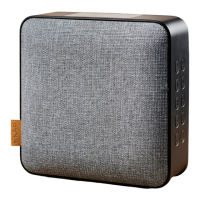
WOOFit Bluetooth locks on the last
connected device, which
requires the connecon to be
disconnected before a new unit to
be connected to WOOFit. This can
be done on the connected device (in
Bluetooth sengs) or by reseng the
speaker. WOOFit speaker is reset by
holding the mode buon down for 3
seconds and disconnect the Bluetooth
signal. The speaker is now ready to
connect with a new Bluetooth device.
Audio quality problems
If the audio quality is poor, a reason
might be low baery level. Therefor
always try to fully charge WOOFit to
secure the absolutely best audio quality.
Warning
To prevent damage, re or electric
shock, it is strictly forbidden to remove
or replace parts of the unit. Always
consult a professional workshop or a
qualied service center if the unit has
been damaged.
Troubleshoong
10
UK



 To Next Page