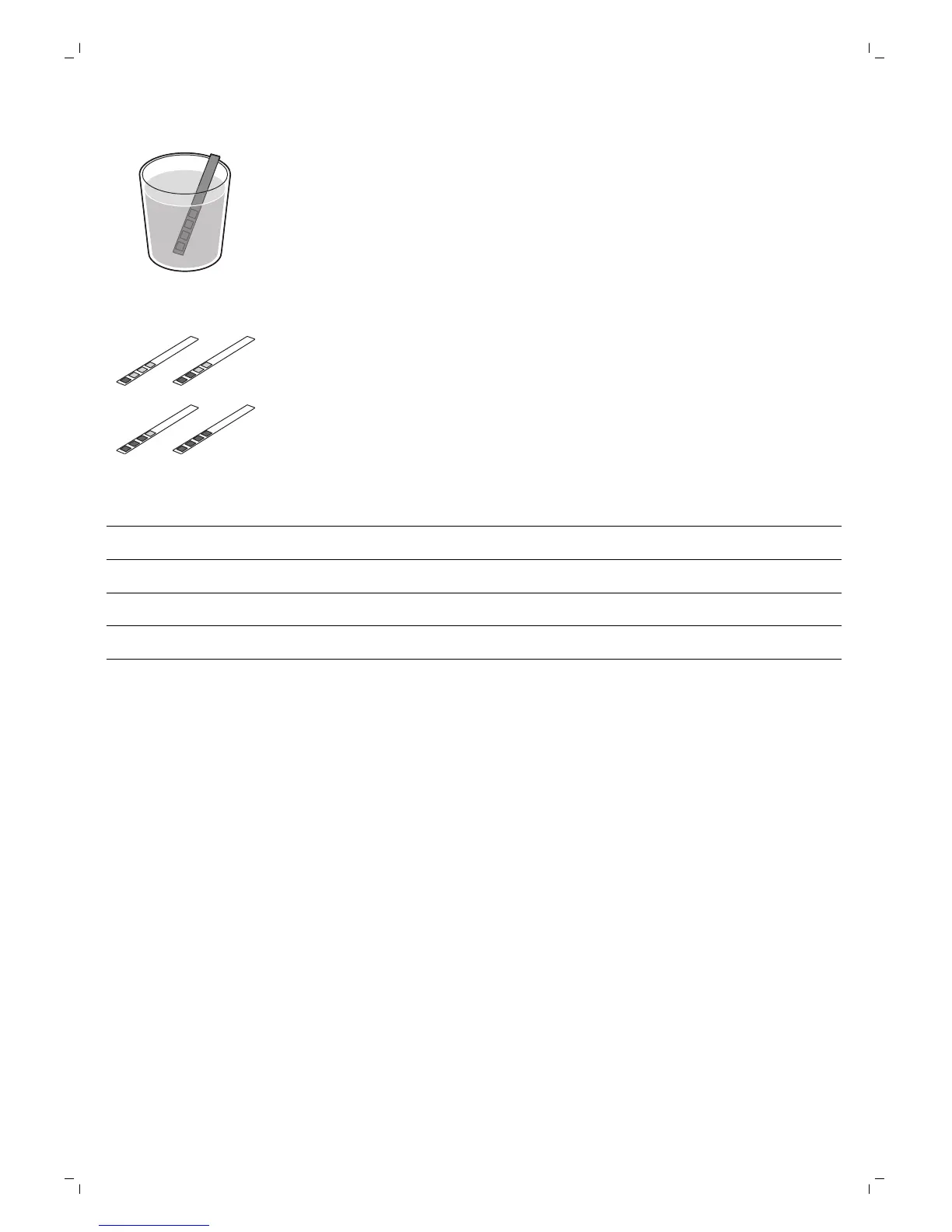
1 Immerse the water hardness test strip (supplied with the machine) in
fresh water for 1 second.
2 Remove the water hardness strip and and wait for 1 minute.
3 Check how many squares have changed into the red color and check the
water hardness in below table.
numbers of red squares
value to be set water hardness
1 1 very soft water
2 2 soft water
3 3 hard water
4 4 very hard water
Setting the water hardness
1 To set the water hardness, press the MENU button, select menu and
scroll to select water hardness.
2 Press the OK button and select the water hardness in your area.
3 Press the OK button to confirm.
4 Press the ESC button to return to the main menu.
Using the machine
Brewing coffee with beans
1 Adjust the coffee dispensing spout to suit the size of your cup.
2 Press the AROMA STRENGTH button to select the desired coffee
strength from 1-5 beans.
3 Press the ESPRESSO button to brew an espresso or press the ESPRESSO
LUNGO button to brew a coffee.
Brewing coffee with pre-ground coffee
When you brew coffee with pre-ground coffee, use the measuring scoop in
the multifunctional tool supplied to put the correct dose in the pre-ground
12
English





 To Next Page