EasyManua.ls Logo

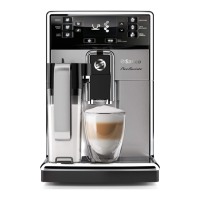
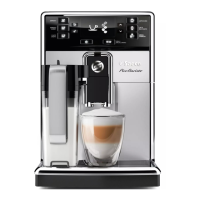
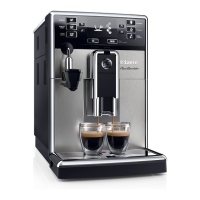
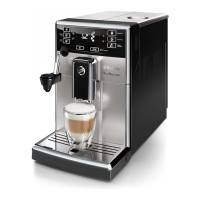
Saeco PICOBARISTO HD8924 - User Manual

Saeco PICOBARISTO HD8924
30 pages
Print Icon
To Next Page IconTo Next Page
Loading...
PICOBARISTO
HD8924
EN USER MANUAL
DE BENUTZERHANDBUCH
ES MANUAL DEL USUARIO
FR MODE D’EMPLOI
IT MANUALE UTENTE
NL GEBRUIKSAANWIJZING
4219.460.3607.1 HD8924 SAECO_PICOBARISTO AMF_WE_COVER_A5_FC.indd 1 01-09-16 15:24
Question and Answer IconNeed help?

Do you have a question about the Saeco PICOBARISTO HD8924 and is the answer not in the manual?

Summary

Machine Overview and Components

Beverage Buttons

Explains the function of buttons for Espresso, Espresso Lungo, Caffè Crema, Milk Froth, and Hot Water.

Navigation and Control Buttons

Details the functions of navigation buttons (Up, Down, Escape, OK) and special buttons (MENU, AROMA).

Machine Components

Describes key parts like the brew group, water tank, bean hopper, and drip tray.

First Installation and Setup

Quick Start Guide Reference

Instructions to follow the separate quick start guide for initial setup.

AquaClean Filter System

Filter Function and Benefits

Explains the AquaClean filter's role in reducing limescale and filtering water.

Activating the AquaClean Filter

Menu-Based Activation

Emphasizes confirming AquaClean filter activation in the machine's menu.

Activating the AquaClean Filter (Steps)

Select Filter Option in Menu

Step-by-step instruction to select the AquaClean filter option in the menu.

Coffee Strength and Brewing Methods

Brewing with Beans

Instructions for brewing coffee using whole beans, including cautions.

Brewing with Pre-Ground Coffee

Steps for using pre-ground coffee, including dose and warnings.

Adjusting Volume and Taste

Volume Adjustment Procedure

How to adjust beverage volume to taste and cup size, including programming.

Coffee Strength Adjustment

How to change coffee strength using the AROMA STRENGTH button.

Cleaning Brew Group with Tablets

Cleaning Cycle Steps

Steps involving placing container, selecting ground coffee, inserting tablet, dispensing water, and pausing.

Degreasing and Rinsing

Allowing solution to work, restarting, and performing rinsing cycles.

Milk Frother Cleaning and Disassembly

Milk Frother Disassembly

Steps to remove and disassemble the milk frother parts for cleaning.

Descaling Procedure Introduction

Descaling Procedure Steps

Descaling Procedure Completion

Interrupted Descaling Procedure Recovery

Recovery Steps

Empty/rinse tank, refill, restart for rinsing, and perform manual rinse.

Warning Icons and Error Codes

Meaning of Warning Icons

Explains various warning icons like ADD WATER, ADD COFFEE, SUPPORT REQUIRED.

Error Code Explanations

Error Code 01 (Grinder Blocked)

Problem, cause, and solution for error code 01.

Error Codes 03-04 (Brew Group)

Problem, cause, and solution for error codes 03-04 related to the brew group.

Error Code Explanations (Continued)

Error Code 14 (Overheating)

Problem, cause, and solution for error code 14 when the machine overheats.

General Troubleshooting Guide

Machine Not Switching On

Troubleshooting steps for power issues.

Machine in DEMO Mode

How to exit DEMO mode if the machine is unresponsive.

Specific Troubleshooting Scenarios

Container Full Icon Persistence

Solutions for when the full container icon remains displayed.

Brew Group Removal;Insertion Issues

Troubleshooting steps for problems removing or inserting the brew group.

Coffee Quality Issues

Solutions for coffee lacking crema or being watery.

Coffee Leaking

Troubleshooting for coffee leaking from the dispensing spout.

Further Troubleshooting: Coffee and Milk Quality

Coffee Temperature Issues

Solutions for when the coffee is not hot enough.

No Coffee Output

Troubleshooting for when coffee does not come out after grinding beans.

Slow Coffee Dispensing

Solutions for when coffee dispenses slowly.

Froth Milk Quality

Solutions for cold froth milk and milk that does not froth.

Advanced AquaClean Filter Troubleshooting

Filter Activation and Descaling Issues

Solutions for problems activating the AquaClean filter or when descaling is prompted.

Filter Icon Display Problems

Troubleshooting for the AquaClean filter icon not showing after replacement.

Filter Fitment Issues

Troubleshooting for the AquaClean filter not fitting correctly.

Water Leakage Troubleshooting

Water Under Machine

Solutions for water found under the machine, typically related to the drip tray or placement.

Summary

Machine Overview and Components

Beverage Buttons

Explains the function of buttons for Espresso, Espresso Lungo, Caffè Crema, Milk Froth, and Hot Water.

Navigation and Control Buttons

Details the functions of navigation buttons (Up, Down, Escape, OK) and special buttons (MENU, AROMA).

Machine Components

Describes key parts like the brew group, water tank, bean hopper, and drip tray.

First Installation and Setup

Quick Start Guide Reference

Instructions to follow the separate quick start guide for initial setup.

AquaClean Filter System

Filter Function and Benefits

Explains the AquaClean filter's role in reducing limescale and filtering water.

Activating the AquaClean Filter

Menu-Based Activation

Emphasizes confirming AquaClean filter activation in the machine's menu.

Activating the AquaClean Filter (Steps)

Select Filter Option in Menu

Step-by-step instruction to select the AquaClean filter option in the menu.

Coffee Strength and Brewing Methods

Brewing with Beans

Instructions for brewing coffee using whole beans, including cautions.

Brewing with Pre-Ground Coffee

Steps for using pre-ground coffee, including dose and warnings.

Adjusting Volume and Taste

Volume Adjustment Procedure

How to adjust beverage volume to taste and cup size, including programming.

Coffee Strength Adjustment

How to change coffee strength using the AROMA STRENGTH button.

Cleaning Brew Group with Tablets

Cleaning Cycle Steps

Steps involving placing container, selecting ground coffee, inserting tablet, dispensing water, and pausing.

Degreasing and Rinsing

Allowing solution to work, restarting, and performing rinsing cycles.

Milk Frother Cleaning and Disassembly

Milk Frother Disassembly

Steps to remove and disassemble the milk frother parts for cleaning.

Descaling Procedure Introduction

Descaling Procedure Steps

Descaling Procedure Completion

Interrupted Descaling Procedure Recovery

Recovery Steps

Empty/rinse tank, refill, restart for rinsing, and perform manual rinse.

Warning Icons and Error Codes

Meaning of Warning Icons

Explains various warning icons like ADD WATER, ADD COFFEE, SUPPORT REQUIRED.

Error Code Explanations

Error Code 01 (Grinder Blocked)

Problem, cause, and solution for error code 01.

Error Codes 03-04 (Brew Group)

Problem, cause, and solution for error codes 03-04 related to the brew group.

Error Code Explanations (Continued)

Error Code 14 (Overheating)

Problem, cause, and solution for error code 14 when the machine overheats.

General Troubleshooting Guide

Machine Not Switching On

Troubleshooting steps for power issues.

Machine in DEMO Mode

How to exit DEMO mode if the machine is unresponsive.

Specific Troubleshooting Scenarios

Container Full Icon Persistence

Solutions for when the full container icon remains displayed.

Brew Group Removal;Insertion Issues

Troubleshooting steps for problems removing or inserting the brew group.

Coffee Quality Issues

Solutions for coffee lacking crema or being watery.

Coffee Leaking

Troubleshooting for coffee leaking from the dispensing spout.

Further Troubleshooting: Coffee and Milk Quality

Coffee Temperature Issues

Solutions for when the coffee is not hot enough.

No Coffee Output

Troubleshooting for when coffee does not come out after grinding beans.

Slow Coffee Dispensing

Solutions for when coffee dispenses slowly.

Froth Milk Quality

Solutions for cold froth milk and milk that does not froth.

Advanced AquaClean Filter Troubleshooting

Filter Activation and Descaling Issues

Solutions for problems activating the AquaClean filter or when descaling is prompted.

Filter Icon Display Problems

Troubleshooting for the AquaClean filter icon not showing after replacement.

Filter Fitment Issues

Troubleshooting for the AquaClean filter not fitting correctly.

Water Leakage Troubleshooting

Water Under Machine

Solutions for water found under the machine, typically related to the drip tray or placement.

Saeco PICOBARISTO HD8924 Specifications

General IconGeneral
Appliance placementCountertop
Coffee input typeCoffee beans
Water tank capacity1.8 L
Coffee beans capacity250 g
Built-in grinderYes
Coffee GrinderYes
Adjustable grinder settingsYes
Number of grinder settings5
Milk tankYes
Milk tank capacity0.5 L
Milk FrotherYes
Adjustable coffee strengthYes
Coffee Strength Settings5
Adjustable coffee volumeYes
Adjustable milk volumeYes
Adjustable temperatureYes
Number of temperature settings3
Hot water systemYes
Pre-brew aroma controlYes
Self-cleaningYes
Removable brewing unitYes
Removable drip trayYes
Calc indicatorYes
Power1500 W
Cord length1 m
Depth43 cm
Weight7.2 kg
ColourBlack
Pump Pressure15 bar
Removable Brew GroupYes
Automatic Rinsing and CleaningYes
Voltage230 V
Product typeEspresso machine

Related product manuals