11
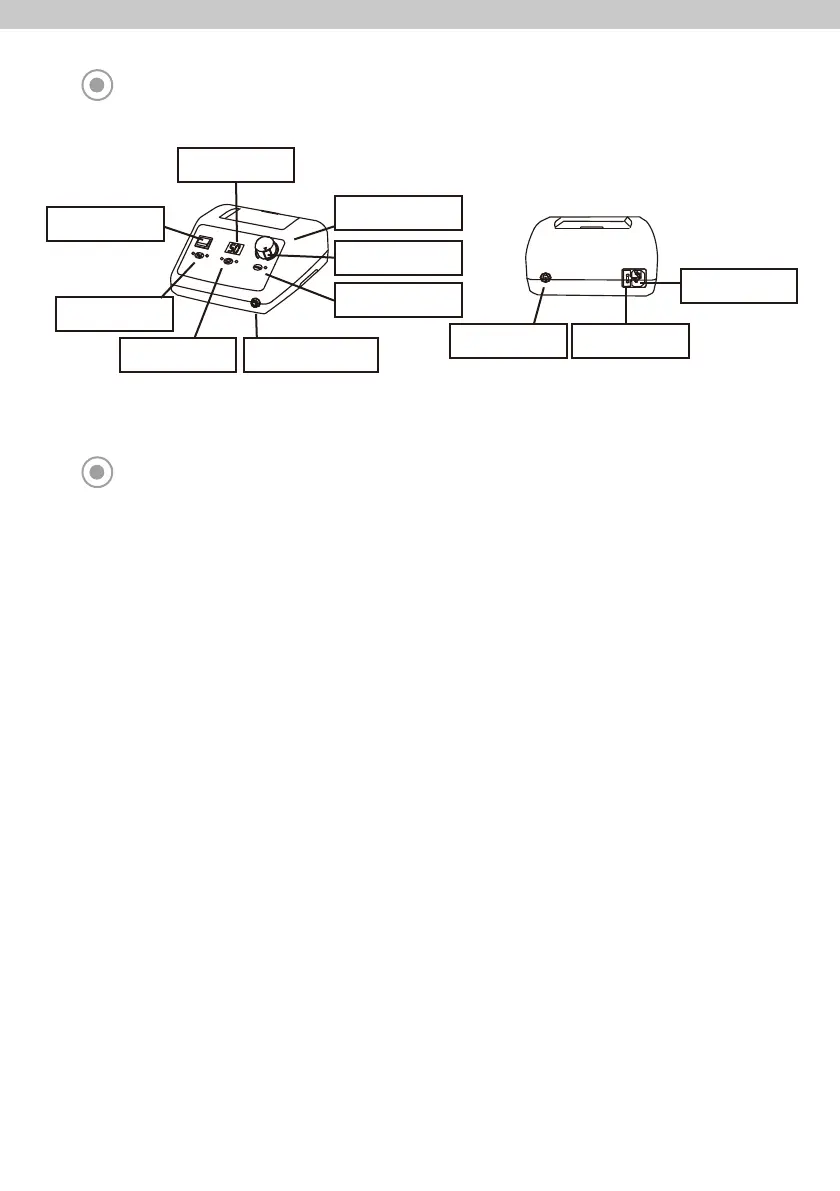
PART NAME OF CONTROL BOX
Foot Controller
Connector
Fuse Box
Power Socket
BUTTONS ON THE OPERATION PANEL
■ Power Switch:
This switch is used to turn on the power or off.
- I: Power On
- O: Power Off
■ Indicator:
- RPM: RPM is displayed. Displayed number X 1,000 is actual RPM.
- Error Code: When errors occur, the corresponding errors are displayed.
■ Speed Control Dial:
This dial is used to control RPM. Turn the clockwise, RPM is increased. Turn the reverse, RPM is decreased.
■ Limit Button:
This button is used to limit the maximum RPM.
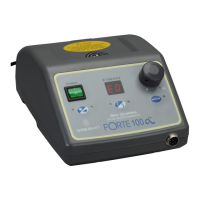
- FORTE 100: Limited maximum value is 40,000 rpm. Push the limit button and turn the speed control dial fully,
Maximum value is increased to 50,000 RPM.
- FORTE 100α, FORTE 100αD: Limited maximum value is 30,000 rpm and unlimited value is to 40,000 rpm.
(If activate max rpm change function to 50,000 rpm, maximum value is same with FORTE 100.)
■ Hand/Foot Select Button:
This Button is used to select the h
andpiece operation method.
- Hand: Handpiece is operated by ‘motor button’.
- Foot: Handpiece is operated by foot controller.
■ Rotation Direction Select Button:
This button is used to select rotation direction to the clockwise or reverse.
■ Motor Button:
This button is used to operate the handpiece when select operation method by hand.
Speed Control Dial
Motor Button
Limit Button
Rotation Direction
Select Button
Handpiece Connector
Hand/Foot
Select Button
Power Switch
Indicator



 To Next Page