EasyManua.ls Logo

SafeNet HASP HL Pro - User Manual

Default Icon
54 pages
Print Icon
To Next Page IconTo Next Page
Loading...
User Guide
HARDWARE AND SOFTWARE
HASP KEYS
Installation and Configuration Guide

Questions and Answers

Summary

INSTALLING LOCAL HASP

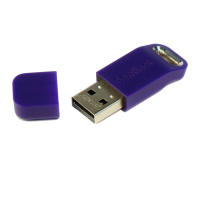
Installing Hardware HASP

Provides step-by-step instructions for installing a local hardware HASP key (HL key) on a computer.

Activating a Trial Version

Explains how to activate a trial version of software HASP keys using Command Prompt, .bat file, or .exe file.

Online Activation

Guides on performing online activation for software HASP keys via the Customer Portal using a product key.

Offline Activation

Explains how to perform offline activation for software HASP keys when no internet connection is available.

Generating C2 V File for Offline Activation

Details how to generate a .c2v file using the RUS Branding utility for offline HASP key activation.

Applying V2 C File for Offline Activation

Explains how to apply the .v2c file using the RUS Branding utility to finalize offline HASP key activation.

Updating Keys Remotely

Provides steps to update hardware and software HASP keys remotely using the RUS Branding utility and a .v2c file.

Generating C2 V File for Remote Update

Details generating a .c2v file using the RUS Branding utility for updating HASP protection keys.

INSTALLING NETWORK HASP

Configuring Sentinel License Manager

Explains how to configure the Sentinel License Manager using the Admin Control Center web application for network operations.

Configuring Remote Access to Sentinel License Managers

Manages remote access settings for Sentinel License Manager, including broadcast and aggressive search options.

GENERATING DIAGNOSTIC REPORT

TROUBLESHOOTING

SafeNet HASP HL Pro Specifications

General IconGeneral
BrandSafeNet
ModelHASP HL Pro
CategoryModem
LanguageEnglish

Related product manuals