Need help?
Do you have a question about the Saferhomee HTZSAFE 806A and is the answer not in the manual?
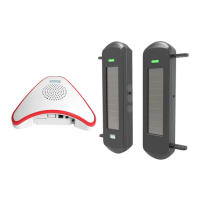
Lists the included plug-in alarm receiver and English user manual.
Diagram and labels detailing the receiver's power plug, volume, melody, and zone number.
Describes the speaker's role in producing sound when a sensor is activated.
Instructions on how to add up to 4 sensors to the plug-in receiver.
Step 1: Plug the receiver into an outlet and verify correct operation via prompts.
Step 2 & 3: Pair sensor by holding Volume, then activating the sensor for Zone 1.
Step 4: Re-activate the sensor to confirm it has been successfully added.
Step 5: Press Melody to choose one of 35 optional melodies for the paired sensor.
Step 6: Repeat pairing steps to add more sensors, demonstrating adding the second sensor.
Delete all sensors from the receiver by holding Volume and Melody buttons for 10 seconds.
Press the Volume button to cycle through 4 adjustable volume levels.
Activate sensor, then press Melody to select a different melody for that specific sensor.
Details physical dimensions and technical parameters like voltage, current, and frequency.
Provides the email address for after-sale support and inquiries.
 General
| Brand | Saferhomee |
|---|---|
| Model | HTZSAFE 806A |
| Category | Security System |
| Connectivity | Wireless |
| Installation | DIY |
| Color | White |
| Alarm Volume | 110dB |
| Power Source | Battery |
| Battery Life | 12 months |
| Sensors | Door/Window Sensor, Motion Sensor |
| Type | Wireless Alarm System |


 To Next Page