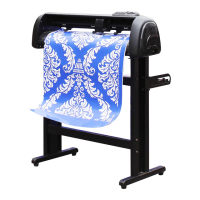
Need help?
Do you have a question about the Saga SAGA-720I and is the answer not in the manual?
Explains the meaning of DANGER, WARNING, and CAUTION levels in the manual.
Describes the meaning of universal safety symbols used in the manual.
Advises against touching moving parts, grounding the plotter, and handling power cords.
Warns against water exposure, disassembly, and improper power connections.
Stresses safe use of power cords and careful handling of the cutter blade.
Prohibits use in certain environments and warns against vibration/noise.
Advises against volatile solvents for cleaning and maintaining adequate space.
Guides on blade extension and slow carriage movement to prevent plotter damage.
Highlights the importance of observing cautions on the machine's label.
Emphasizes using only the designed stand for safety and proper operation.
Provides instructions and notices for safely installing and replacing cutter blades.
Details the functions of the plotter's keys and LCD screen.
Instructs on connecting the USB lead between the plotter and the computer.
Guides on powering on the plotter and the automatic driver installation.
Provides steps for installing specific drivers for Corel Draw and Illustrator.
Explains the procedure for loading various types of media onto the plotter.
Details how to set the starting point for cutting jobs on the loaded media.
Describes how to adjust pressure, speed, and scale parameters for cutting.
Explains baud rate settings and how to pause the plot.
Guides on performing a cutting test to verify settings and blade performance.
Describes the process of removing unwanted parts of the cut media.
Explains how to apply cut designs to textiles using transfer tape.
Provides safety and operational guidance for using drag knives.
Outlines the importance and precautions for cleaning the cutting plotter.
Details recommended methods for cleaning the plotter surface, rails, and stand.
Explains how to clean the grid drum.
Describes how to clean pinch rollers.
Details the specific settings required for using the Sign Cut software.
Guides through the setup process for Flexi Starter 10.0 software.
Provides the necessary settings for configuring Artcut software.
Explains the steps to cut designs from Corel Draw.
Details the procedure for cutting designs from Illustrator.
 General
| Printer Type | Inkjet |
|---|---|
| Paper Capacity | 100 sheets |
| Paper Sizes | A4, A5, A6, Letter, Legal, Envelopes |
| Connectivity | USB |
| Ink Cartridge | 4 (Black, Cyan, Magenta, Yellow) |

 To Next Page