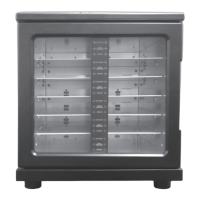
Your new warmer is equipped with status indicators that are designed to provide information on the heating status of the packages in the unit.
The status indicators are activated when a package is placed in a slot in the warmer. They alert the user when a package has reached the desired
temperature by showing the word READY. The warmer is also capable of alerting the user as to which packages have been in the warmer for an
extended period of time. The TAKE FIRST indicators show next to packages that have been in the warmer for an extended period of time and
should be used first. This aids in package stock rotation so product remains fresh.
If preferred, required by hospital policy, or as recommended for a specific product, the warmer can be set to display DISPOSE instead of TAKE
FIRST, for packages that have remained in the warmer for an extended period.
To change this setting, locate the switch on the back of the warmer and select either B or C. Below is a detailed description of the settings.
TAKE FIRST [Position B]
1. NOT READY
The red arrow and message that reads “NOT READY” indicates the package in this slot has not been in the warmer long enough to
reach the target temperature. The red “NOT READY” arrow will remain lit for the time it takes to heat the Comfort Personal Cleansing
product (approximately 2 hours).
2. READY
The green arrow and message that reads “READY” indicates the package in this slot has been in the warmer long enough to reach the
target temperature and is ready for use.
3. TAKE FIRST
The blinking green arrow and message that reads “TAKE FIRST” indicates the package in this slot has been in the warmer for an
extended period of time and should be used before other packages. This feature helps you use the products in your warmer in the order in
which they were stocked. If more than a few packages of a certain product type have the blinking “TAKE FIRST” arrow lit for an
extended period of time, it may be appropriate to cut down on the number of slots of that product code and restock them with one of
your higher usage products. If patient census is low and more than a few slots frequently indicate “TAKE FIRST,” it may be appropriate
to leave a few slots empty until product usage increases.
DISPOSE [Position C] - Time limited: Dispose of packages remaining in warmer for >84 hrs
1. NOT READY
The yellow arrow and message that reads “NOT READY” indicates the package in this slot has not been in the warmer long enough to
reach the selected temperature. The yellow “NOT READY” arrow will remain lit for the time it takes to heat the product
(approximately 2 hours).
2. READY
The green arrow and message that reads “READY” indicates the package in this slot has been in the warmer long enough to reach the
selected temperature and is ready for use.
3. DISPOSE
The blinking red arrow and message that reads “DISPOSE” indicates the package in this slot has been in the warmer for greater than 84
hours and should be discarded. This feature helps you use the products in your warmer in the order in which they were stocked.
If more than a few packages have the blinking “DISPOSE” arrow lit for an extended period of time, it may be appropriate to cut down on
the number of slots used. If patient census is low and more than a few slots frequently indicate “DISPOSE,” it may be appropriate to
leave a few slots empty until product usage increases.
The temperature displayed on the front of the warmer reflects the internal operating temperature of the warmer. Additionally, the warmer is
equipped with a protective device designed to turn the unit off in the event of overheating. The warmer will remain inoperable until it has cooled.
Please refer to individual product packaging for instructions, ingredients, warnings and other information.
STATUS INDICATOR DISPLAY SYSTEM


 To Next Page