EasyManua.ls Logo

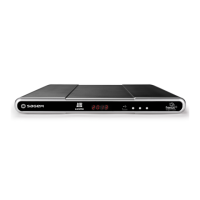
Sagem DTR94 HD FREESAT - User Manual

Sagem DTR94 HD FREESAT
48 pages
Print Icon
To Next Page IconTo Next Page
Loading...
USER MANUAL
ENGLISH
FREESAT+
HD DIGITAL TV RECORDER
DTR94 HD Freesat
UG 253271393-B DTR94 HD Freesat UK.book Page 1 Vendredi, 16. octobre 2009 3:19 15

Table of Contents

Question and Answer IconNeed help?

Do you have a question about the Sagem DTR94 HD FREESAT and is the answer not in the manual?

Summary

Product Overview

Front Panel of the Recorder

Details the front panel components like the display, status indicator, USB port, channel buttons, and standby button.

Rear Panel of the Recorder

Describes the rear panel connectors including satellite inputs, Ethernet, HDMI, audio, SCART, and power supply.

Remote Control

Explains the functions of each key on the remote control for operating the recorder.

Safety Recommendations

Where to Put Your Recorder?

Provides guidelines for placing the recorder indoors, in a dry, ventilated area, away from heat and dampness.

Warnings and Safety Instructions

Outlines critical safety warnings regarding electric shock, dampness, liquid exposure, and temperature changes.

Batteries

Advises on safe handling of batteries for the remote control and proper disposal.

Interference

Warns against placing the recorder near appliances that may cause electromagnetic interference.

Hard Disk

Informs users about the presence of a hard disk and the need for standby mode before unplugging.

Cleaning the Recorder

Specifies how to clean the recorder's casing using a soft, dry cloth and avoiding solvents.

Environment

Meaning of Logos Present on the Product or Its Packaging

Explains the meaning of recycling and waste disposal symbols found on the product and packaging.

Product Recycling and Disposal

Guides users on local sorting rules and European regulations for disposing of electrical and electronic equipment.

European Directive on Waste Electrical and Electronic Equipment (WEEE)

Details the WEEE directive concerning the return, recycling, and disposal of electronic products.

Directive on the Restriction of Use of Certain Hazardous Substances in Electronic Equipment (ROHS)

Explains the RoHS directive regarding the absence of hazardous materials in the recorder.

Electrical Consumption of the Recorder

Recommends placing the recorder in standby or unplugging it to reduce electrical consumption.

Connections

Connection to the Satellite Dish

Instructs on connecting the satellite dish, emphasizing dual LNB heads for freesat HD and SD channels.

Connection to the TV Set

Details various methods for connecting the recorder to a television set.

Connection to a High-Definition television using a HDMI lead

Details connecting the recorder to an HD TV via HDMI for optimal picture quality.

Connection to a High-Definition television using the component video link (Y Pb Pr)

Explains connecting the recorder to an HD TV using component video (Y Pb Pr) and audio cables.

Connection to a Standard-Definition television

Guides on connecting the recorder to a standard-definition TV using a SCART connector.

Connection to the VCR;DVD Recorder

Shows how to connect the recorder to a VCR or DVD recorder using SCART sockets.

Connection to a Home Cinema Amplifier

Explains connecting the recorder to a home cinema system for DTS or Dolby Digital quality sound.

Connection to a Hi-Fi Unit

Details connecting the recorder to a Hi-Fi system for digital quality sound and radio playback.

First Installation

Freesat Settings

Guides through the initial setup process, including satellite signal detection and postcode entry.

Main Settings

Covers selecting preferred audio, TV screen size, and HDMI resolution during initial setup.

Channel Search

Describes the automatic channel search process after initial setup to find available freesat channels.

Installation Menus

Icons

Displays icons used in the installation and user menus for various functions.

User Settings

Allows customization of various user preferences for the recorder.

Selecting your language

Allows selection of preferred audio and subtitle languages, and activation of audio description.

Hiding Adult channels

Enables hiding adult genre channels to protect children from exposure.

Recorder locking

Allows locking access to recorder settings, requiring a parental code for changes.

Changing your Parental code

Explains how to change the parental code used for locking features.

Recording preferences

Sets general recording preferences like timer margins for EPG and skip intervals.

Managing Channels and Favourite Lists

Covers managing channels and creating custom favourite channel lists.

Managing Channels

Covers hiding or locking specific TV channels and managing the channel list.

Creating Favourite lists

Guides on creating and managing custom favourite channel lists (A to D).

Recorder Settings

Allows adjustment of various recorder operational settings.

Searching for channels

Allows manual searching for channels using a postcode after initial setup.

Picture settings

Adjusts TV screen size, resizing on 4:3 TVs, and OSD display time.

Lip Sync

Adjusts audio delay to synchronize sound with video if there is a discrepancy.

Audio and Video Output settings

Configures HDMI resolution and TV SCART video standards (RGB, PAL).

Recorder upgrade

Checks for and initiates software upgrades for the recorder.

Formatting the hard disk

Formats the internal hard disk, erasing all recordings.

Resetting the recorder

Resets the recorder to factory default settings, losing channels and configurations.

Adding Non freesat channels

Allows manual addition of non-freesat channels by entering transponder parameters.

Information Menu

Signal Information

Displays current signal strength and quality for the watched satellite channel.

Recorder Information

Provides details about the recorder's software version and hardware identification.

Hard Disk Information

Shows information about the hard disk, including type, serial number, firmware, and temperature.

Everyday Use

Selecting a Channel

Explains how to select channels using the remote control or the channel list.

Using the keys P+ and P-, or keys 0-9

Explains how to change channels using the remote's channel up/down or numeric keys.

Using the channel list

Describes how to select channels from an on-screen list for easier navigation.

Programme information banner

Details the on-screen banner showing program details and how to display it.

Adjusting the Audio Volume

Covers adjusting the volume up/down and using the mute function on the remote control.

Changing the Favourites List

Explains how to switch between different favorite channel lists using the remote.

Temporarily Selecting Audio Languages and Subtitles

Allows temporary selection of audio tracks, subtitles, and audio description.

Teletext and Interactive Services

Guides on accessing Teletext and interactive services via the red key.

Electronic Programme Guide

Explains how to access and use the EPG to view programme schedules and information.

Live Mode;Deferred Mode

Explains how to use time-shift features to pause, rewind, or fast forward live TV.

Pause; Play

Allows pausing live TV to resume later, using the pause/play button.

Rewind

Explains how to rewind the live TV stream to review previous moments.

Fast forward

Describes how to fast forward through the live TV stream to catch up.

Stop

Details how to exit the deferred mode and return to live TV viewing.

Video Recordings

Immediate Recording (Live or Deferred Programme)

Guides on starting an immediate recording of a live or deferred programme.

Recording Programmes from the Menu

Explains how to schedule and manage recordings via the main menu.

Scheduling a recording manually

Explains how to manually schedule recordings for specific channels and times.

Editing scheduled recordings

Covers modifying or deleting previously scheduled recordings.

Recording Programmes from the Electronic Programme Guide

Details recording programmes directly from the EPG, including series recording.

Recording Library

Explains how to access and manage the library of recorded programmes.

Managing the Recording List

Covers managing the list of recorded programs, including selection and sorting.

Selecting recorded programmes

Describes how to select multiple recordings for batch operations like deletion or moving.

Sorting your recordings

Guides on sorting recordings by date or name for better organization.

Creating folders

Explains how to create folders to organize recorded content.

Software Update

Troubleshooting

Specifications

Customer Support

Guarantee Terms

Exclusions from Guarantee

Lists conditions and circumstances that are not covered by the product's guarantee.

Summary

Product Overview

Front Panel of the Recorder

Details the front panel components like the display, status indicator, USB port, channel buttons, and standby button.

Rear Panel of the Recorder

Describes the rear panel connectors including satellite inputs, Ethernet, HDMI, audio, SCART, and power supply.

Remote Control

Explains the functions of each key on the remote control for operating the recorder.

Safety Recommendations

Where to Put Your Recorder?

Provides guidelines for placing the recorder indoors, in a dry, ventilated area, away from heat and dampness.

Warnings and Safety Instructions

Outlines critical safety warnings regarding electric shock, dampness, liquid exposure, and temperature changes.

Batteries

Advises on safe handling of batteries for the remote control and proper disposal.

Interference

Warns against placing the recorder near appliances that may cause electromagnetic interference.

Hard Disk

Informs users about the presence of a hard disk and the need for standby mode before unplugging.

Cleaning the Recorder

Specifies how to clean the recorder's casing using a soft, dry cloth and avoiding solvents.

Environment

Meaning of Logos Present on the Product or Its Packaging

Explains the meaning of recycling and waste disposal symbols found on the product and packaging.

Product Recycling and Disposal

Guides users on local sorting rules and European regulations for disposing of electrical and electronic equipment.

European Directive on Waste Electrical and Electronic Equipment (WEEE)

Details the WEEE directive concerning the return, recycling, and disposal of electronic products.

Directive on the Restriction of Use of Certain Hazardous Substances in Electronic Equipment (ROHS)

Explains the RoHS directive regarding the absence of hazardous materials in the recorder.

Electrical Consumption of the Recorder

Recommends placing the recorder in standby or unplugging it to reduce electrical consumption.

Connections

Connection to the Satellite Dish

Instructs on connecting the satellite dish, emphasizing dual LNB heads for freesat HD and SD channels.

Connection to the TV Set

Details various methods for connecting the recorder to a television set.

Connection to a High-Definition television using a HDMI lead

Details connecting the recorder to an HD TV via HDMI for optimal picture quality.

Connection to a High-Definition television using the component video link (Y Pb Pr)

Explains connecting the recorder to an HD TV using component video (Y Pb Pr) and audio cables.

Connection to a Standard-Definition television

Guides on connecting the recorder to a standard-definition TV using a SCART connector.

Connection to the VCR;DVD Recorder

Shows how to connect the recorder to a VCR or DVD recorder using SCART sockets.

Connection to a Home Cinema Amplifier

Explains connecting the recorder to a home cinema system for DTS or Dolby Digital quality sound.

Connection to a Hi-Fi Unit

Details connecting the recorder to a Hi-Fi system for digital quality sound and radio playback.

First Installation

Freesat Settings

Guides through the initial setup process, including satellite signal detection and postcode entry.

Main Settings

Covers selecting preferred audio, TV screen size, and HDMI resolution during initial setup.

Channel Search

Describes the automatic channel search process after initial setup to find available freesat channels.

Installation Menus

Icons

Displays icons used in the installation and user menus for various functions.

User Settings

Allows customization of various user preferences for the recorder.

Selecting your language

Allows selection of preferred audio and subtitle languages, and activation of audio description.

Hiding Adult channels

Enables hiding adult genre channels to protect children from exposure.

Recorder locking

Allows locking access to recorder settings, requiring a parental code for changes.

Changing your Parental code

Explains how to change the parental code used for locking features.

Recording preferences

Sets general recording preferences like timer margins for EPG and skip intervals.

Managing Channels and Favourite Lists

Covers managing channels and creating custom favourite channel lists.

Managing Channels

Covers hiding or locking specific TV channels and managing the channel list.

Creating Favourite lists

Guides on creating and managing custom favourite channel lists (A to D).

Recorder Settings

Allows adjustment of various recorder operational settings.

Searching for channels

Allows manual searching for channels using a postcode after initial setup.

Picture settings

Adjusts TV screen size, resizing on 4:3 TVs, and OSD display time.

Lip Sync

Adjusts audio delay to synchronize sound with video if there is a discrepancy.

Audio and Video Output settings

Configures HDMI resolution and TV SCART video standards (RGB, PAL).

Recorder upgrade

Checks for and initiates software upgrades for the recorder.

Formatting the hard disk

Formats the internal hard disk, erasing all recordings.

Resetting the recorder

Resets the recorder to factory default settings, losing channels and configurations.

Adding Non freesat channels

Allows manual addition of non-freesat channels by entering transponder parameters.

Information Menu

Signal Information

Displays current signal strength and quality for the watched satellite channel.

Recorder Information

Provides details about the recorder's software version and hardware identification.

Hard Disk Information

Shows information about the hard disk, including type, serial number, firmware, and temperature.

Everyday Use

Selecting a Channel

Explains how to select channels using the remote control or the channel list.

Using the keys P+ and P-, or keys 0-9

Explains how to change channels using the remote's channel up/down or numeric keys.

Using the channel list

Describes how to select channels from an on-screen list for easier navigation.

Programme information banner

Details the on-screen banner showing program details and how to display it.

Adjusting the Audio Volume

Covers adjusting the volume up/down and using the mute function on the remote control.

Changing the Favourites List

Explains how to switch between different favorite channel lists using the remote.

Temporarily Selecting Audio Languages and Subtitles

Allows temporary selection of audio tracks, subtitles, and audio description.

Teletext and Interactive Services

Guides on accessing Teletext and interactive services via the red key.

Electronic Programme Guide

Explains how to access and use the EPG to view programme schedules and information.

Live Mode;Deferred Mode

Explains how to use time-shift features to pause, rewind, or fast forward live TV.

Pause; Play

Allows pausing live TV to resume later, using the pause/play button.

Rewind

Explains how to rewind the live TV stream to review previous moments.

Fast forward

Describes how to fast forward through the live TV stream to catch up.

Stop

Details how to exit the deferred mode and return to live TV viewing.

Video Recordings

Immediate Recording (Live or Deferred Programme)

Guides on starting an immediate recording of a live or deferred programme.

Recording Programmes from the Menu

Explains how to schedule and manage recordings via the main menu.

Scheduling a recording manually

Explains how to manually schedule recordings for specific channels and times.

Editing scheduled recordings

Covers modifying or deleting previously scheduled recordings.

Recording Programmes from the Electronic Programme Guide

Details recording programmes directly from the EPG, including series recording.

Recording Library

Explains how to access and manage the library of recorded programmes.

Managing the Recording List

Covers managing the list of recorded programs, including selection and sorting.

Selecting recorded programmes

Describes how to select multiple recordings for batch operations like deletion or moving.

Sorting your recordings

Guides on sorting recordings by date or name for better organization.

Creating folders

Explains how to create folders to organize recorded content.

Software Update

Troubleshooting

Specifications

Customer Support

Guarantee Terms

Exclusions from Guarantee

Lists conditions and circumstances that are not covered by the product's guarantee.

Sagem DTR94 HD FREESAT Specifications

General IconGeneral
Video OutputHDMI, SCART
Recording CapabilityYes
Weight1.2 kg
High Definition SupportYes
HDMI Ports1
SCART Ports1
Digital Audio OutputOptical
Tuner TypeDVB-S2
USB Port1
Ethernet PortYes
Scart Output1
EPGYes
Parental ControlYes
TypeFreesat HD
Audio OutputHDMI
StorageExternal USB Storage

Related product manuals