EasyManua.ls Logo

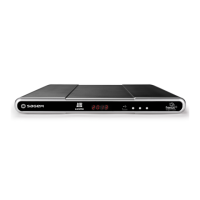
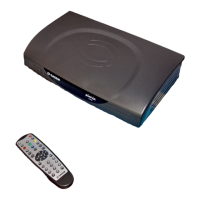
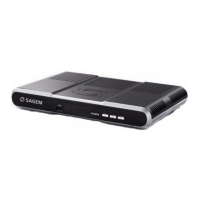
Sagem DTR6700T - User Manual

Sagem DTR6700T
52 pages
Print Icon
To Next Page IconTo Next Page
Loading...
USER MANUAL
ENGLISH
DIGITAL TERRESTRIAL
TV RECEIVER / RECORDER WITH
HARD DISK AND DOUBLE TUNER
DTR 6400T/6700T
Software version 0.7.7
and above
DTR6400T_6700T_9 avril 07 EN.book Page 1 Jeudi, 10. avril 2008 2:38 14

Table of Contents

Questions and Answers

  • M
    mcintoshmichaelAug 20, 2025
    How to fix Sagem DTR6700T TV Receiver remote control not working?
    • S
      Scott ClarkeAug 20, 2025
      If the Sagem TV Receiver's remote control isn't working, make sure you're pointing it directly at the receiver. Also, check the batteries to ensure they're in good condition and properly oriented.
  • K
    Kirsten JamesAug 22, 2025
    What to do if Sagem DTR6700T does not detect USB device?
    • Z
      zhintonAug 22, 2025
      If your Sagem TV Receiver isn't detecting your USB device, first check that the USB device is correctly connected to the USB port. If it is, try disconnecting and reconnecting it. Also, ensure that the USB device is compatible with the receiver.
  • R
    rogersmithAug 25, 2025
    Why does my Sagem DTR6700T TV Receiver have a reception problem?
    • R
      Richard BakerAug 25, 2025
      If you're experiencing a motionless image or reception problems with your Sagem TV Receiver, check all connections and the antenna. Then, start a programme search again.
  • T
    Troy MccartyAug 26, 2025
    What to do if Sagem DTR6700T TV Receiver cannot find any channel?
    • S
      Stephanie CamachoAug 26, 2025
      If your Sagem TV Receiver can't find any channels, first check that you are in a broadcast area. If you are, try readjusting your antenna.
  • R
    Ryan UnderwoodAug 28, 2025
    Why doesn't my TV switch to the Sagem DTR6700T from standby?
    • W
      wallsleahAug 28, 2025
      If your television set doesn't switch to the Sagem TV Receiver when it leaves standby mode, check that your television is correctly connected to the TV Scart socket. If necessary, select the Scart input directly on your television.
  • A
    Amy DavisAug 30, 2025
    What to do if Sagem TV Receiver displays an error message when copying files?
    • E
      Edwin SmithAug 30, 2025
      If the Sagem TV Receiver displays an error message when copying multimedia files, verify that the total size of the multimedia files stored on the hard disk of the receiver, including the files being copied, does not exceed 1/16 of the total hard disk capacity. For example, the hard disk space allocated to multimedia files is limited to 15GB for a 250 GB hard disk, 10 GB for a 160 GB hard disk, etc.
  • G
    Gregg HatfieldSep 1, 2025
    Why Sagem DTR6700T detects USB but does not display files?
    • R
      Roger SanchezSep 1, 2025
      If the Sagem TV Receiver detects your USB device but doesn't display the multimedia files, ensure that the multimedia files have a compatible file format.
  • N
    Nicholas TrujilloSep 3, 2025
    How to fix no sound in 'HOME CINEMA' mode on Sagem DTR6700T?
    • A
      Anne MathewsSep 3, 2025
      If there's no sound in "HOME CINEMA" mode on some channels with your Sagem TV Receiver, check that you are correctly connected to a "HOME CINEMA" amplifier via a digital link.
  • D
    daniel66Sep 5, 2025
    Why some recordings are not listed in Sagem DTR6700T TV Receiver?
    • O
      ovazquezSep 5, 2025
      If some recordings are not listed in the recording list on your Sagem TV Receiver, check that the records are not locked. If they are locked, they will appear only in the full list.
  • K
    Kelly HinesSep 7, 2025
    What to do if Sagem DTR6700T TV Receiver displays - -: - -?
    • B
      Brittany RosarioSep 7, 2025
      If your Sagem TV Receiver displays - -: - -, take the receiver out of standby by pressing the power button.

Summary

SAFETY RECOMMENDATIONS

WHERE TO PUT YOUR TERMINAL?

Guidelines for placing the receiver to ensure proper operation and safety, avoiding heat and dampness.

WARNINGS AND SAFETY INSTRUCTIONS

Crucial warnings about electric shock, handling the power supply, and protecting from liquids and metal objects.

REMOTE CONTROL

QUICK INSTALLATION

CONNECTION OF THE RECEIVER TO THE TV SET

Instructions for connecting the receiver to a television set using Scart or HDMI cables.

FIRST INSTALLATION

Step-by-step guide for the initial setup, language selection, and channel search.

INSTALLATION MENUS

USER SETTINGS

Configuration of language, user preferences, parental controls, locking, and changing access codes.

RECEIVER SETTINGS

Configuration of channel search, video output, audio settings, and restoring factory defaults.

EVERYDAY USE

ELECTRONIC PROGRAMME GUIDE

How to use the EPG to view programme schedules and detailed information.

LIVE MODE;DEFERRED MODE

How to use live/deferred mode for pausing and rewinding programmes.

VIDEO RECORDING

SIMPLE RECORDING (LIVE OR DEFERRED PROGRAMME)

How to start recording a live or deferred programme directly.

RECORDING PROGRAMMES USING THE MENU

How to schedule recordings using the menu interface and manual programming.

RECORDING PROGRAMMES USING THE PROGRAMME GUIDE

How to schedule recordings directly from the electronic programme guide.

MANAGING THE RECORDING LIST

Options for managing recordings: selection, sorting, renaming, and creating folders.

MULTIMEDIA

ACCESSING THE MEDIA LIST MANAGER

How to access the multimedia file manager to view photos and play audio.

MANAGING CONTENTS

Operations for managing media files: copy, delete, move, rename, and create folders.

VIEWING AND MANAGING PHOTO FILES

How to view photo files, manage them, and create slideshows.

UPDATING THE SOFTWARE

TROUBLESHOOTING

Sagem DTR6700T Specifications

General IconGeneral
TypeDigital TV Receiver
Tuner TypeDVB-T/T2
Video OutputHDMI, Scart
Recording CapabilityYes
Storage InterfaceUSB
Dimensions250 x 200 x 50 mm
EPGYes
Video FormatsMPEG-2, MPEG-4
Scart Output1
Audio OutputHDMI
Recording TimeDepends on storage
Audio FormatsMP3, AAC
Resolution1080i
USB PortYes

Related product manuals