EasyManua.ls Logo

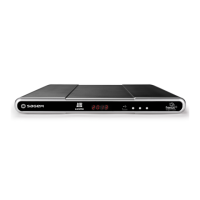
Sagem DTR6700T - User Manual

Sagem DTR6700T
52 pages
Print Icon
To Next Page IconTo Next Page
Loading...
USER MANUAL
ENGLISH
DIGITAL TERRESTRIAL
TV RECEIVER / RECORDER WITH
HARD DISK AND DOUBLE TUNER
DTR 6400T/6700T
Software version 0.7.7
and above
DTR6400T_6700T_9 avril 07 EN.book Page 1 Jeudi, 10. avril 2008 2:38 14

Table of Contents

Questions and Answers

Sagem DTR6700T Specifications

General IconGeneral
TypeDigital TV Receiver
Tuner TypeDVB-T/T2
Video OutputHDMI, Scart
Recording CapabilityYes
Storage InterfaceUSB
Dimensions250 x 200 x 50 mm
EPGYes
Video FormatsMPEG-2, MPEG-4
Scart Output1
Audio OutputHDMI
Recording TimeDepends on storage
Audio FormatsMP3, AAC
Resolution1080i
USB PortYes

Summary

SAFETY RECOMMENDATIONS

WHERE TO PUT YOUR TERMINAL?

Guidelines for placing the receiver to ensure proper operation and safety, avoiding heat and dampness.

WARNINGS AND SAFETY INSTRUCTIONS

Crucial warnings about electric shock, handling the power supply, and protecting from liquids and metal objects.

REMOTE CONTROL

QUICK INSTALLATION

CONNECTION OF THE RECEIVER TO THE TV SET

Instructions for connecting the receiver to a television set using Scart or HDMI cables.

FIRST INSTALLATION

Step-by-step guide for the initial setup, language selection, and channel search.

INSTALLATION MENUS

USER SETTINGS

Configuration of language, user preferences, parental controls, locking, and changing access codes.

RECEIVER SETTINGS

Configuration of channel search, video output, audio settings, and restoring factory defaults.

EVERYDAY USE

ELECTRONIC PROGRAMME GUIDE

How to use the EPG to view programme schedules and detailed information.

LIVE MODE;DEFERRED MODE

How to use live/deferred mode for pausing and rewinding programmes.

VIDEO RECORDING

SIMPLE RECORDING (LIVE OR DEFERRED PROGRAMME)

How to start recording a live or deferred programme directly.

RECORDING PROGRAMMES USING THE MENU

How to schedule recordings using the menu interface and manual programming.

RECORDING PROGRAMMES USING THE PROGRAMME GUIDE

How to schedule recordings directly from the electronic programme guide.

MANAGING THE RECORDING LIST

Options for managing recordings: selection, sorting, renaming, and creating folders.

MULTIMEDIA

ACCESSING THE MEDIA LIST MANAGER

How to access the multimedia file manager to view photos and play audio.

MANAGING CONTENTS

Operations for managing media files: copy, delete, move, rename, and create folders.

VIEWING AND MANAGING PHOTO FILES

How to view photo files, manage them, and create slideshows.

UPDATING THE SOFTWARE

TROUBLESHOOTING

Related product manuals