EasyManua.ls Logo

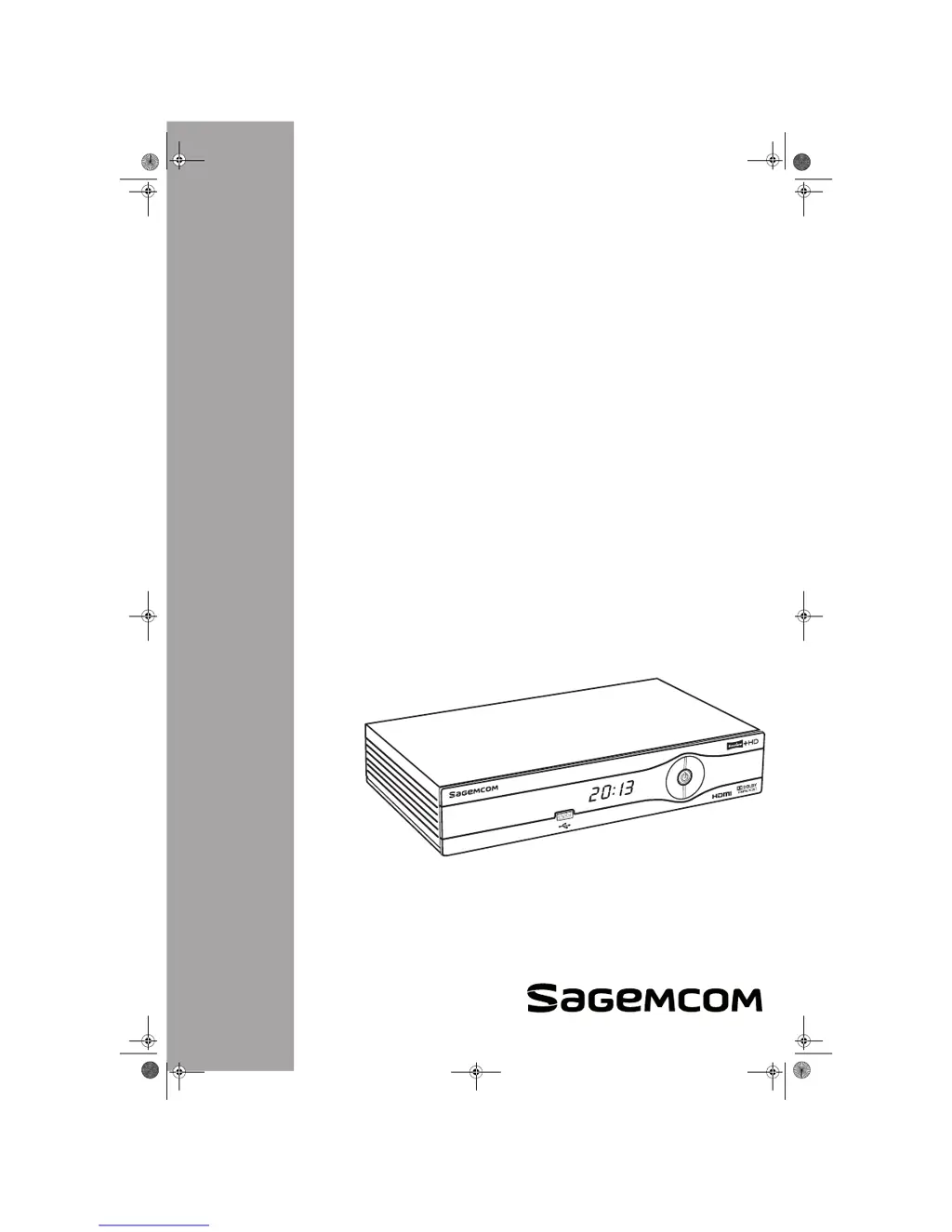
SAGEMCOM RTI95 T2 HD UK - User Manual

SAGEMCOM RTI95 T2 HD UK
52 pages
Print Icon
To Next Page IconTo Next Page
Loading...
Draft 1.2 - 02/2012
Terrestrial High Definition
Digital Television Recorder
RTI95 T2 HD UK
User Manual
LU 253463441-A RTI95 T2 HD UK.book Page 1 Mercredi, 1. février 2012 10:59 10

Table of Contents

Questions and Answers

  • L
    Laurie DavenportAug 15, 2025
    How to fix a SAGEMCOM RTI95 T2 HD UK Set-top boxes remote control that is not working?
    • M
      Megan GrayAug 15, 2025
      If the SAGEMCOM Set-top boxes remote control isn't working, ensure you're pointing it directly at the recorder. Also, verify the batteries have sufficient life and are correctly inserted.
  • L
    Lydia EstradaAug 18, 2025
    What to do if SAGEMCOM RTI95 T2 HD UK Set-top boxes recorder display shows no information?
    • K
      Karl ShafferAug 19, 2025
      If your SAGEMCOM Set-top boxes recorder display shows no information, first, switch the recorder on using the On/Off button. Then, check all the connections to ensure they are properly connected.
  • J
    Jane JohnsonAug 21, 2025
    Why is the picture frozen or unclear on my SAGEMCOM RTI95 T2 HD UK Set-top boxes?
    • L
      Laurie McbrideAug 22, 2025
      If the picture on your SAGEMCOM Set-top boxes is frozen or unclear, check all the connections. Also, inspect the antenna and search for channels again.
  • C
    Chad GonzalesAug 25, 2025
    What to do if SAGEMCOM RTI95 T2 HD UK displays a black screen or an error message?
    • H
      Heather DavisAug 25, 2025
      If your SAGEMCOM Set-top boxes recorder displays a black screen or an error message, verify that the antenna signal is correctly detected. If the issue persists, try searching for programmes.
  • J
    Jessica RobinsonAug 28, 2025
    Why SAGEMCOM RTI95 T2 HD UK recorder cannot find any channels?
    • V
      vincentwestAug 28, 2025
      If the SAGEMCOM Set-top boxes recorder cannot find any channels, check the antenna reception. If the issue persists, search for programmes.
  • S
    Sue HernandezAug 30, 2025
    How to make TV switch to SAGEMCOM Set-top boxes when it leaves standby mode?
    • E
      erikasmithAug 30, 2025
      If the TV set does not switch to the SAGEMCOM Set-top boxes recorder when it leaves standby mode, check that your TV set is correctly connected to your recorder. Also, select the appropriate input on your TV set.
  • D
    darrell74Sep 2, 2025
    Why is there no sound in HOME CINEMA mode on SAGEMCOM RTI95 T2 HD UK Set-top boxes?
    • J
      Jonathan PowellSep 2, 2025
      If there is no sound in HOME CINEMA mode on some channels with your SAGEMCOM Set-top boxes, check that the recorder is connected to a Home cinema amplifier with a digital link.
  • R
    Raymond GutierrezSep 6, 2025
    Why is video black and white on SAGEMCOM Set-top boxes TV/AUX output?
    • J
      Jason GilbertSep 6, 2025
      If you are experiencing black and white video on the TV/AUX output during VCR/DVD recording with your SAGEMCOM Set-top boxes, check that the signal type chosen for TV/AUX SCART output is compatible with your VCR (select PAL on VCR).
  • S
    Savannah SimpsonSep 9, 2025
    Why does a black screen appear at the end of a SAGEMCOM Set-top boxes recording?
    • T
      Trevor DavisSep 9, 2025
      A black screen may appear at the end of a recording on your SAGEMCOM Set-top boxes because some channels stop their broadcast with a fixed image or no video. Ensure that you set your manual recordings with the correct end time.
  • T
    Timothy JimenezSep 12, 2025
    What does Er02 mean on SAGEMCOM Set-top boxes?
    • A
      Anthony BruceSep 12, 2025
      The 'Er02' error on your SAGEMCOM Set-top boxes indicates that the signal quality does not enable the software to be correctly acquired. Press the key to continue the process. Check the signal strength and quality.

Summary

Safety Recommendations

Recorder Placement and Environment

Guidelines for positioning the recorder safely and optimally.

Electrical Safety and Handling

Critical warnings regarding electricity, power supply, and general safe usage.

Connecting Your Devices

Antenna and TV Connections

Steps for connecting the antenna and the TV set via HDMI or SCART.

Initial Setup and Configuration

First Installation Wizard Steps

A step-by-step guide for the initial setup and channel scanning.

Video, Audio, and Parental Control Settings

Configuration of display, sound, and content access settings.

Channel Search and Region Selection

Procedures for finding available channels and setting the user's region.

Recorder Operation and Features

Video Recording

Immediate Recording Procedures

How to start recording a live program or an earlier program.

Scheduling Recordings

Setting up recordings manually or from the TV Guide.

Multimedia Interface

System Settings and Adjustments

Channel Tuning and Management

Procedures for searching, locking, and managing channels.

Parental Controls and User Preferences

Setting up parental locks, favorite lists, and user-specific display options.

Troubleshooting and Software Updates

Common Recorder Issues and Solutions

A guide to diagnosing and resolving typical operational problems.

Customer Support and Warranty

SAGEMCOM RTI95 T2 HD UK Specifications

General IconGeneral
Tuner TypeDVB-T2
HD SupportYes
Video Resolution1080p, 1080i, 720p
ConnectivityHDMI, USB
FeaturesUSB recording
Audio OutputDolby Digital
EPGYes
RecordingUSB Recording
Power ConsumptionLess than 1W in standby

Related product manuals