RTI95 T2 HD UK
14
Connection to the TV set
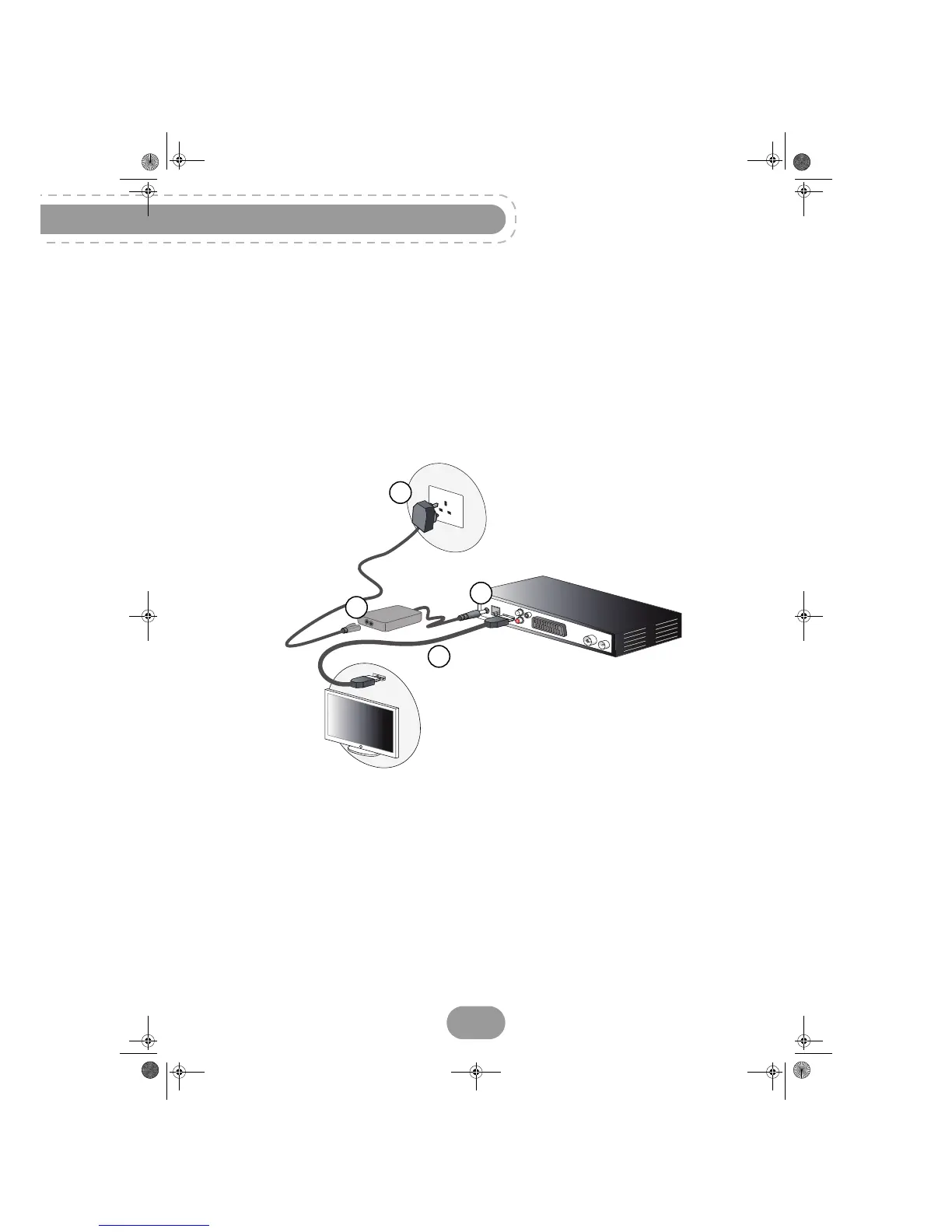
Connection to a High-Definition television set using an HDMI lead
1. To take advantage of High Definition picture quality, you must connect the HDMI connector of your
recorder to the HDMI connector on your television set (cable supplied).
2. To connect other devices to the recorder (VCR/DVD, Home cinema...), refer to the following pages.
3. Connect the power adapter to the power cable. Then, connect the power cable into the 12 V
connector on the recorder.
4. Plug the power cord into the wall socket.


 To Next Page