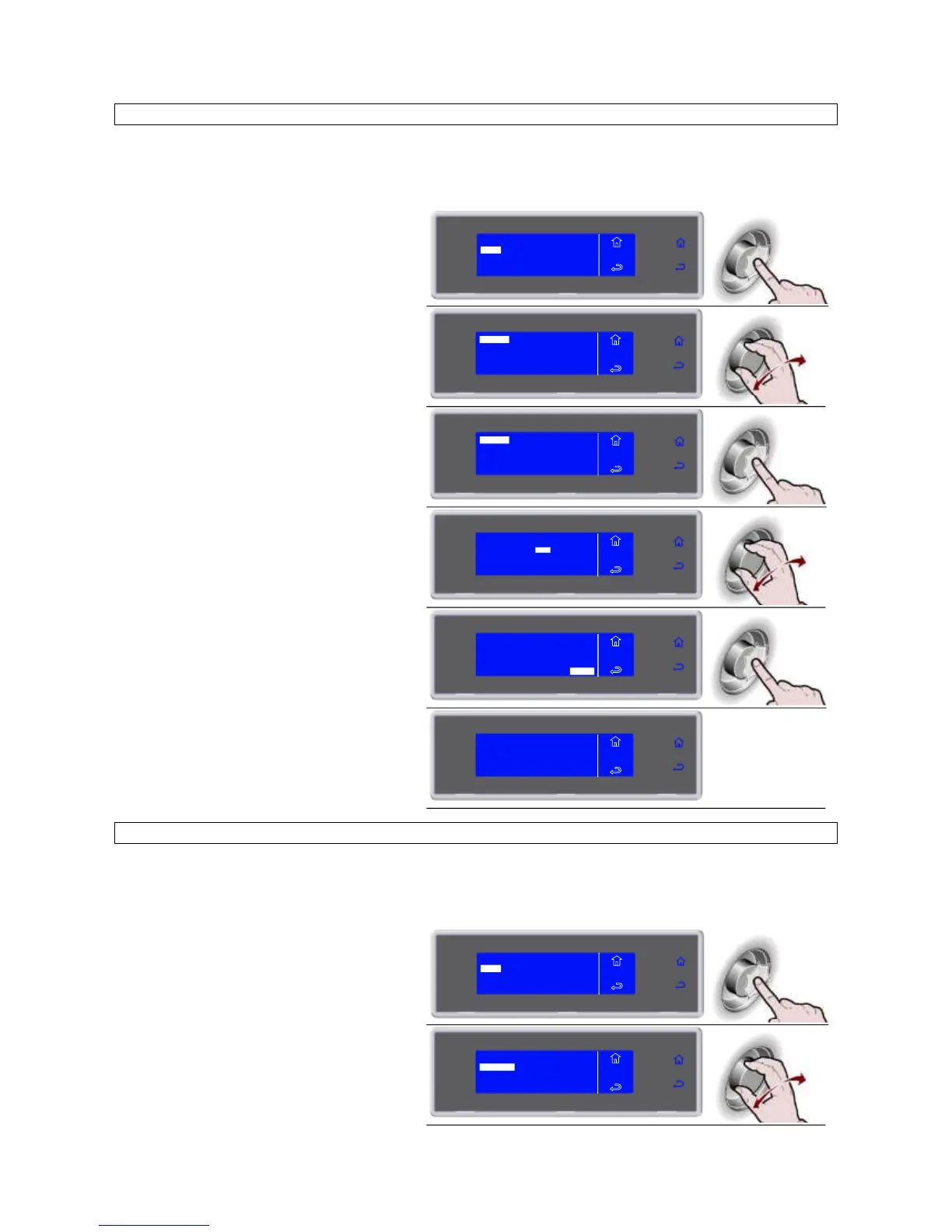
PRINT BY DATE
NOTE: the printer is not supplied as standard equipment. It is an optional item.
Connect the printer from the rear of the unit, using the MATE-N-LOK connectors on the electrical panel,
identified with the letters R (power) and S (signal).
6. Press the knob to enter the selected
function
VIEW
USB
PRINT
MENU
HACCP
DELETE
7. Select the chosen function by rotating
the knob
BY DATE
BY CYCLE
ALL
MENU
HACCP
PRINT
8. Press the knob to enter the selected
function
BY DATE
BY CYCLE
ALL
MENU
HACCP
PRINT
9. Enter the data by turning the knob and
press to confirm the value and move to
the next one until ENTER is selected
ENTER
MENU
HACCP
PRINT
FROM 01/03/2010
TO 02/03/ 2010
10. Press the knob to start printing
FROM 01/03/2010
TO 02/03/2010
ENTER
MENU
HACCP
PRINT
IN PROGRESS
MENU
HACCP
PRINT
PRINT BY CYCLE
NOTE: the printer is not supplied as standard equipment. It is an optional item.
Connect the printer from the rear of the unit, using the MATE-N-LOK connectors on the electrical panel,
identified with the letters R (power) and S (signal).
6. Press the knob to enter the selected
function
VIEW
USB
PRINT
MENU
HACCP
DELETE
7. Select the chosen function by rotating
the knob
BY DATE
BY CYCLE
ALL
MENU
HACCP
PRINT


 To Next Page