50
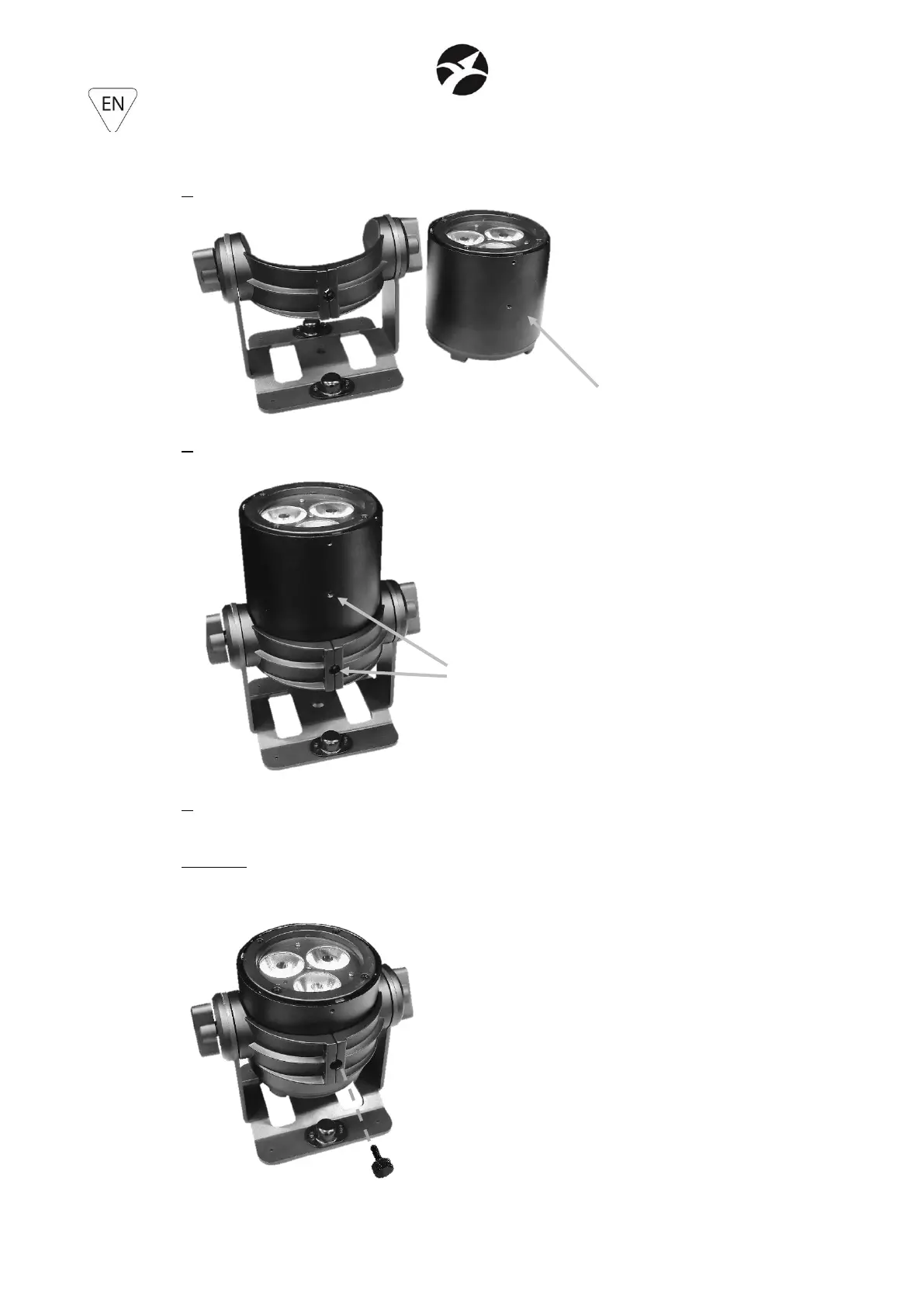
5.5 – PAR BRACKET (included in the carton)
1. Align the bracket and the projector as in the following picture
2. Lift the projector and insert it into the bracket, sliding it until the central M5 hole aligns with
the relative hole in the bracket
3. insert and tighten the M5x16 locking knob to secure the projector to the bracket and
prevent accidental release.
WARNING: the insertion of the M5x16 locking knob is mandatory, in order to prevent
accidental unlocking of the projector from the bracket.


 To Next Page