51
4. Now it is possible to orient the projector with the bracket and tighten the two side knobs
for locking.
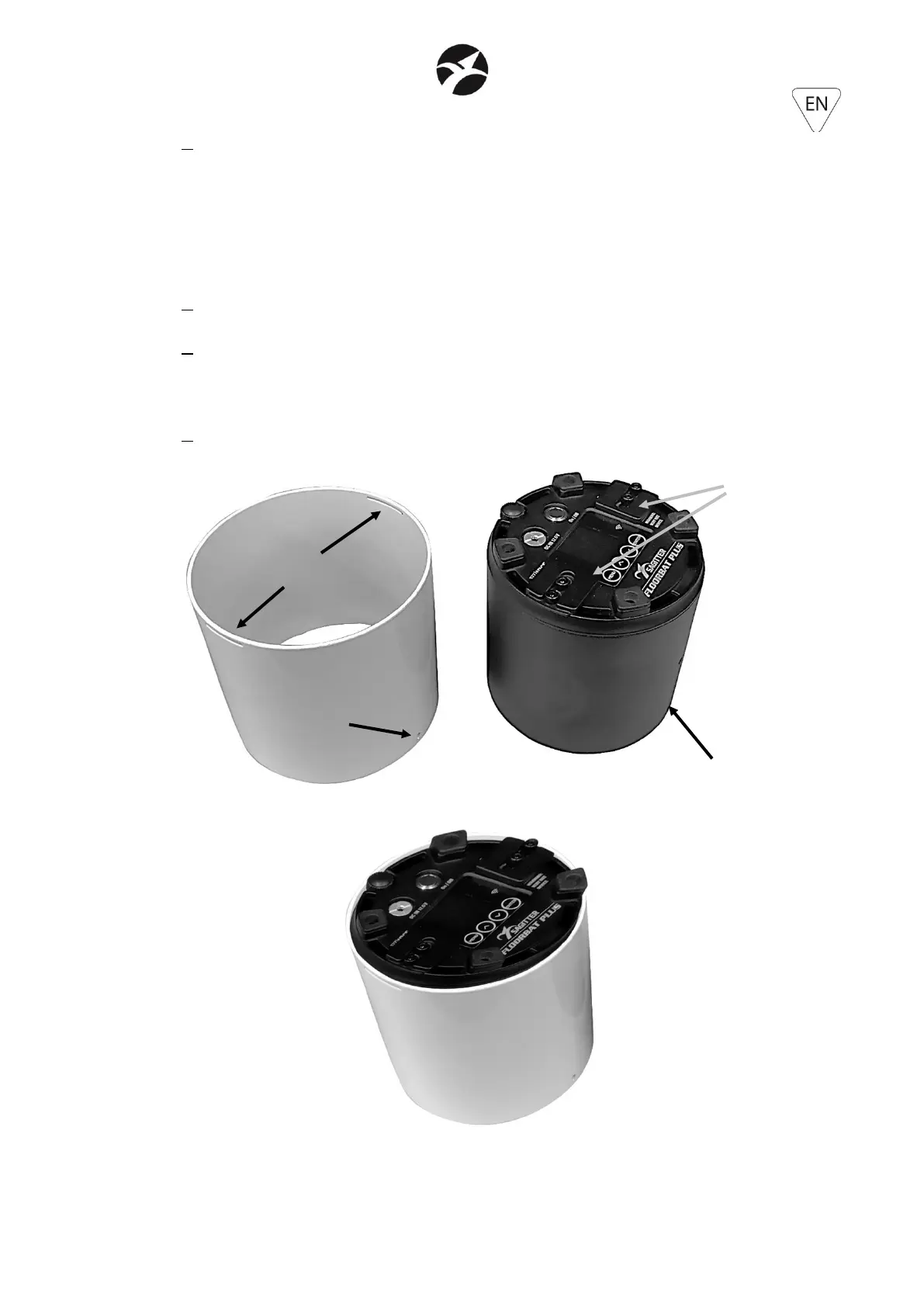
5.6 – CHROME COVER (sold separately – code SG FLBATPLUSCCH)
WHITE COVER (sold separately – code SG FLBATPLUSCWH)
1. Turn the projector upside down, placing it with the front part on a horizontal surface
2. insert the chrome or white cover, taking care to insert it from the side with the safety hole.
In this way, the security hole will be facing the same side as the LEDs and the two horizontal
slots will be towards the back of the projector
3. Align the safety hole of the cover with the M4 hole of the projector and the 2 horizontal
slots of the cover with the two rear mobile brackets of the projector.


 To Next Page