52
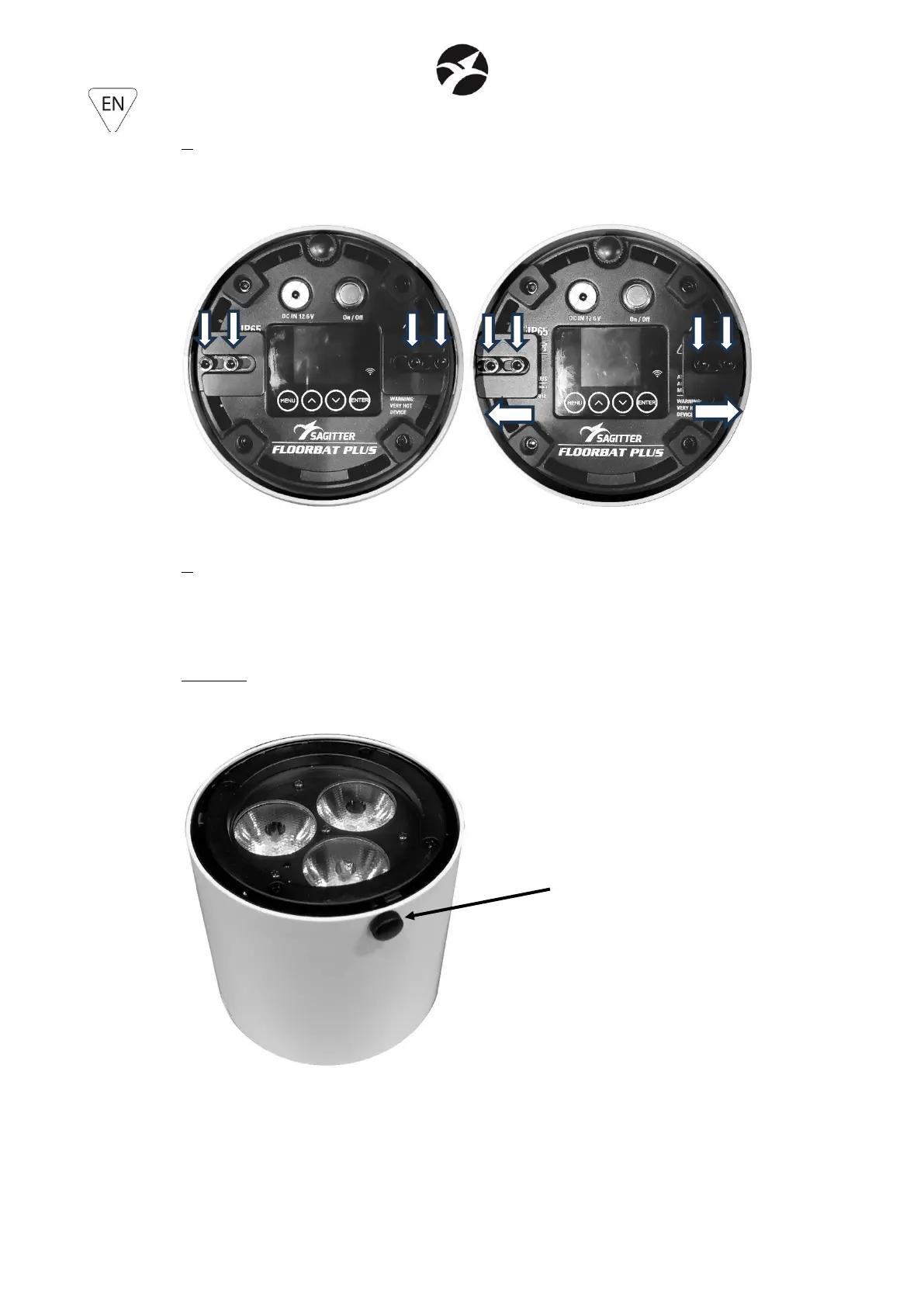
4. Loosen the 4 Allen screws that hold the movable brackets and slide them outwards, so as to
fit inside the two slots on the cover. When the brackets are widened to the maximum, the 4
Allen screws must be tightened to prevent the movement of the brackets themselves and
therefore the accidental fall of the cover.
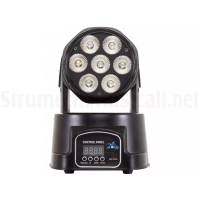
5. Turn the projector over again, bringing it back to the position with the LEDs facing upwards
and insert the M4x8 locking knob through the hole in the cover, screwing it onto the respective
M4 hole of the projector. In this way, the safety of the cover itself against accidental release is
guaranteed.
WARNING: the insertion of the M4x8 locking knob is mandatory, in order to prevent accidental
unlocking of the cover.


 To Next Page