2
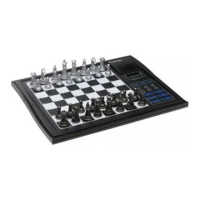
KEYS AND FEATURES
1. BATTERY COMPARTMENT: Slide the cover to the right to open (see A ). Uses
two “AAA” (AM4/RO3) alkaline batteries.
2. STOP KEY: Press to turn the computer off. Current game is retained in memory
for up to two years.
3. GO KEY: Press to turn the computer on.
4. SENSORY CHESSBOARD: Each square has a sensor that automatically
registers piece movement.
5. PIECE SYMBOL KEYS: Used to verify positions and to select Teach Modes.
6. GAME KEYS
a.NEW GAME KEY: Press to reset the computer for a new game.
b.SOUND KEY: Press to turn the sound on and off.
c.PLAY KEY: Press to change sides with the computer; press while the
computer is thinking to force it to move. Press to get a move suggestion from
the computer.
d.LEVEL KEY: Press to enter Level Mode. Also used to access the five Teach
Modes.
e.TAKE BACK KEY: Press to take back the last individual move made. You
may take back two individual moves, or a move for each side.
f. CLOCK KEY: Press to enable or disable the chess clock.
7. LCD DISPLAY WINDOW: Used to show moves, game information, and chess
clock. Also used to select the playing levels and verify pieces.
8. ACL (Reset): In base of unit. Used to eliminate static discharge after inserting
new batteries.
9. PIECE STORAGE COMPARTMENT: Handy storage compartment stores your
captured pieces while playing.
10.PROTECTIVE LID: Covers unit to keep pieces in place and to protect from dust;
use finger grips on either side of unit to open.



 To Next Page