Need help?
Do you have a question about the Salora 22LED9109CTS2DVDWIFI and is the answer not in the manual?
Covers electric shock, ventilation, cord handling, liquid exposure, and user supervision.
Explains symbols like Class II Equipment and Hazardous Live Terminal on the product.
Warns about battery hazards and provides wall mounting safety guidelines.
Details energy-saving tips and environmental friendliness.
Lists package contents and explains standby mode notifications.
Guides on using physical controls, remote, and selecting input sources.
Navigating the main menu and setting timers for programs.
Configuring recording preferences and managing USB storage devices.
Managing TV settings, apps, and internet access.
Connecting power/antenna and installing remote batteries.
Details licensing for technologies used in the product.
Instructions for proper disposal of the TV and batteries.
Lists TV technical specs, wireless LAN specs, and country restrictions.
Explains the purpose of each button on the remote control.
Details connectors, USB device usage, and HDMI cable recommendations.
Instructions for powering the TV and guiding through initial setup.
How to select broadcast types for channel searching.
Procedures for searching and tuning various types of channels.
How to play media and record programs using a USB device.
Explains timeshifting and instant recording features.
Using the Media Browser and streaming via FollowMe TV.
Controlling connected HDMI devices and using Audio Return Channel.
Instructions on how to find and use the TV's electronic manual.
Adjusting mode, contrast, brightness, sharpness, and colour.
Fine-tuning dynamic contrast, noise reduction, and colour temperature.
Adjusting volume, equalizer, balance, and headphone output.
Configuring sound modes, AVL, and digital/HDMI ARC output.
Setting up network type, scanning, and internet speed tests.
Options for channel tuning, satellite setup, and service lists.
Managing language, privacy, parental controls, and date/time.
Settings for internet lock, HbbTV, software updates, and AVS.
Configuring power modes, virtual remote, and CEC features.
Editing channel lists, creating favorite lists, and filtering.
Setting parental locks and using the electronic program guide.
Navigating EPG, setting event timers, and recording.
Using Teletext and updating TV software.
Solutions for common problems like no picture, sound, or remote operation.
Resolving remote, signal, and USB recording problems.
Adjusting PC input display and listing supported resolutions.
Lists supported video, picture, and audio file formats.
Lists supported subtitle formats and DVI resolutions.
Steps to connect the TV to a wireless network and configure settings.
How to connect your mobile device to the TV via WLAN.
Using Wake On and Wireless Display features.
Solutions for wireless network, slow connection, and internet issues.
Setting up and using the AVS feature for media sharing.
Accessing and managing apps, and using the internet browser.
Explains HbbTV standard, its applications, and usage.
Introduction to the Smart Center mobile app for TV control.
Details app navigation, FollowMe TV, Media Share, and Smart Remote.
Using voice recognition and the keyboard via the Smart Center app.
Lists requirements and setup for using Alexa voice control.
Provides example commands for controlling the TV with Alexa.
Safety warnings for DVD players and guidelines for handling discs.
Steps to insert a disc and start playback.
Explains playback controls, menu navigation, and language/subtitle options.
Solutions for common DVD playback issues like picture, sound, and disc errors.
Lists compatible disc types and detailed technical specifications.
Identifies and describes the main buttons on the remote control.
Details button functions for various media types and button combinations.
Instructions for switching the TV on and off using a 12V source.
Guidelines on DVB receiver usage and potential future changes.
Details VESA mount hole patterns, screw sizes, and threads in multiple languages.
Official compliance statements for the TFT IDTV in various EU languages.
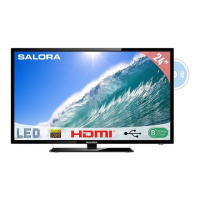
Product identification, energy class, screen size, and power consumption details.
Explains energy consumption metrics for different modes (On, Standby, Off).
 General
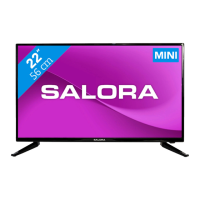
| Screen Size | 22 inches |
|---|---|
| Display Type | LED |
| HDMI Ports | 2 |
| USB Ports | 1 |
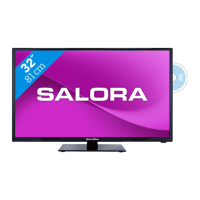
| Built-in DVD Player | Yes |
| Wi-Fi | Yes |
| Sound Output | 10W |
| Resolution | 1366 x 768 |

 To Next Page