
 Need help?
Do you have a question about the Salora 24HDB5005 and is the answer not in the manual?
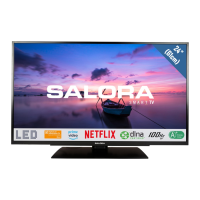
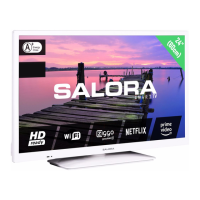
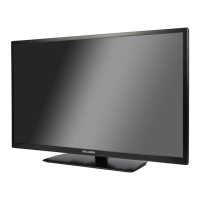
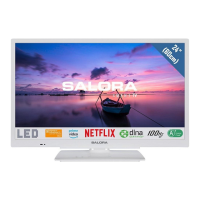
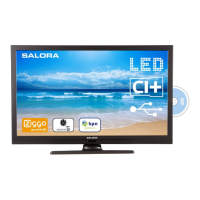
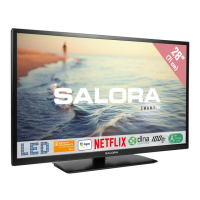
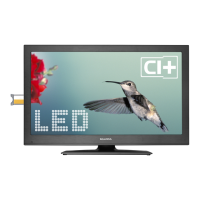
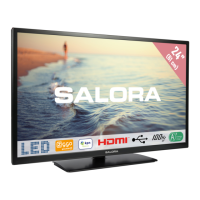
This document describes the Salora 24HDB5005, a colour LED television with an integrated DVD player. It functions as a comprehensive entertainment system, offering both television broadcasting and media playback capabilities.
The Salora 24HDB5005 is primarily a colour LED television designed for household and similar general use, though it can also be used in public places. It features a fully integrated digital/cable/satellite TV (DVB-T/C) tuner, allowing it to receive and display various broadcast types. The television is equipped with HDMI inputs for connecting high-definition devices, a USB input for media playback, and a Scart socket for older external devices like DVD players, PVRs, and video game consoles. It also includes a PC input for use as a computer monitor.
A key integrated feature of this device is its DVD player, which supports various disc types including DVD, Audio-CD, MP3-CD, and Picture-CD. This allows users to watch movies, listen to music, and view photos directly from discs without needing a separate player.
The television provides stereo sound and includes features like Teletext and Digital Teletext (for UK only) for additional information services. It also supports NTSC playback.
General Operation: The TV can be switched on or off from standby mode using the remote control or the side function switch. To completely power down the TV, it must be unplugged from the mains socket. The TV is designed with energy-saving features, including a Power Save Mode (Eco mode) and an automatic power-down function after up to six hours of inactivity. It will also enter standby mode if no input signal is received for 5 minutes or if it has been left on and not operated for a while.
Remote Control: The remote control provides comprehensive control over the TV's functions. It includes numeric buttons for channel navigation and password entry, volume and programme controls, and dedicated buttons for accessing the TV menu, media browser, and electronic programme guide (EPG). Special buttons are available for language selection, subtitles, aspect ratio adjustment (Screen), and Teletext. The remote also features playback controls for the integrated DVD player, such as play, pause, stop, rapid reverse, and rapid advance. Two "My Button" functions allow users to assign frequently used sources, channels, or links for quick access.
TV Control Switch: A control switch on the TV itself allows for basic operations: increasing/decreasing volume, scrolling through stored channels, changing sources, and turning the TV into standby mode.
First Time Installation (FTI): Upon first use, the TV guides the user through a setup process to select language, set preferences, and perform channel installation (Aerial or Cable). It supports Logical Channel Number (LCN) systems for organized channel sequencing.
Picture and Sound Settings: The TV offers various picture modes (Cinema, Game, Dynamic, Natural) and allows adjustment of contrast, brightness, sharpness, and colour. Advanced settings include Dynamic Contrast, Colour Temp, Picture Zoom, Film Mode, Skin Tone, Colour Shift, and RGB Gain. For PC mode, specific settings like Autoposition, H Position, V Position, Dot Clock, and Phase are available. Sound settings include volume, equalizer modes (with custom settings in user mode), balance, headphone volume, and various sound modes. An Automatic Volume Limiting (AVL) function helps maintain a fixed output level between programmes.
Parental Control: The TV includes parental settings to prohibit viewing of certain programmes or channels and to lock menus. A PIN number (default 0000, or 4725 for France) is required to access these settings, which include Menu Lock, Maturity Lock, and Child Lock.
Electronic Programme Guide (EPG): The EPG allows users to view information about current and upcoming programmes. It provides options to display programmes for previous or next days, zoom into programme information, filter content by genre, and set timers for selected programmes.
Media Playback via USB: Users can connect USB memory sticks or external hard disk drives (2.5" and 3.5" with external power supply) to the TV to play photo, music, and movie files. The TV supports FAT32 and NTFS disk formatting. The Media Browser menu allows navigation and playback of these files, with options for loop and shuffle modes.
DVD Playback: Discs are inserted into the loader, labeled side up. The TV automatically loads and plays the disc if it has no menus. If a menu is present, users can select preferred titles using the remote's navigation or numeric buttons. The DVD player supports various playback functions like play, pause, stop, rapid advance, and rapid reverse.
General Safety: The manual emphasizes several safety precautions, including disconnecting the TV from the mains during extreme weather or long inactivity. It warns against covering ventilation openings, exposing the TV to liquids or open flames, and handling the power cord improperly. The power cord plug must remain easily accessible.
Battery Handling: Instructions are provided for inserting batteries into the remote control, ensuring correct polarity. Warnings are given against exposing batteries to excessive heat and disposing of them in fire or with hazardous materials. For coin/button cell batteries, a specific warning about chemical burn hazard and the need for immediate medical attention if swallowed is included.
TV Placement: Users are advised to place the TV on stable furniture, ensuring it does not overhang edges and is anchored if placed on tall furniture. It should not be placed near heat sources or on inclined surfaces.
Wall Mounting: Specific warnings for wall mounting include reading instructions, using specified screws and accessories, and tightening screws firmly.
Product Markings: The manual explains various symbols used on the product for restrictions, precautions, and safety instructions, such as Class II Equipment, Protective Earth Connection, Hazardous Live Terminal, and Caution (referring to user-replaceable batteries).
Disc Care (for DVD player): To maintain disc quality and ensure proper playback, users are instructed to handle discs by their edges, avoid touching surfaces, not stick paper or tape on them, and clean them with a cleaning cloth from the center out. Warnings are given against using solvents and exposing discs to direct sunlight or heat sources.
Software Upgrade: The TV supports software upgrades automatically via aerial/cable/satellite signal or manually through the user interface. It has a "3 AM search and upgrade mode" where it searches for new software upgrades in standby mode.
Troubleshooting & Tips: The manual provides a troubleshooting section for common issues such as the TV not turning on (check power cord, remote batteries), poor picture quality (check TV system, signal level, antenna connection, manual tuning, multiple device connections), no picture (check transmission, input source, antenna), no sound (check mute, volume, balance), remote control not operating (check batteries), and input sources not selectable (check device connections, AV cables). For DVD playback, troubleshooting covers poor picture quality (check disc surface, loading, condensation), disc not playing (check disc presence, loading, type, region code), wrong OSD language, and no sound/picture during DVD playback.
 General
| Screen Size | 24 inches |
|---|---|
| Resolution | 1366 x 768 pixels |
| Display Type | LED |
| HDMI Ports | 2 |
| USB Ports | 1 |
| Tuner | DVB-T/T2/C |
| Operating System | No |




 To Next Page